Adjust Element Attribute Values
Element Attribute values are by default setup as editable. Typically Element Attribute values can be edited from the Element Detail panel, Element Attributes can also be setup as Quickedits (in Display Settings) making them editable from the tool tip and the Diagnostic panel as well. Moreover, Element Attributes setup as Quickedits are shown in the Quickedit section of the Element Detail panel.
For detailed steps, please see the appropriate sectiontopic listed below.
- Adjust Values from Tool Tip Panel
- Adjust Values from Element Details Panel
- Adjust Values from Diagnostics Panel
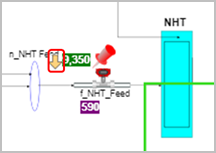
When an attribute value is replaced by an adjustment and that attribute value is shown in the display, a yellow arrow appears next to element, to indicate that it has a substituted value.
Element Adjustment Indicator