View Attribute Details Tab
The Attribute Details tab displays more in-depth details on a selected Attribute.
To view an Attribute's details:
Open the Element Details panel.
Click on the Attributes down-arrow to expand the list of the Element's attributes.
Element Details - Attributes list
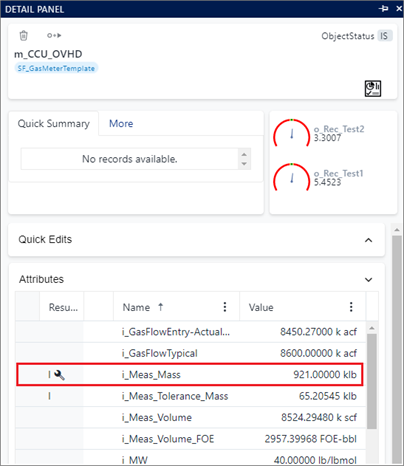
Locate the Attribute for which you want to view details, and click on its Value.
The Adjustment panel opens for the selected attribute to display the Attribute's options.
Click on DETAILS to display the Attribute's details, as shown in the following figure.
Attribute Details
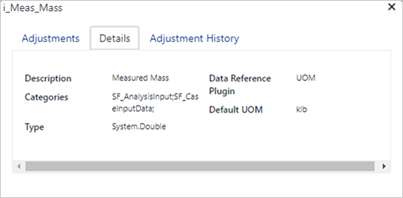
The following details are provided.
Attribute Details
Detail Description Description If a description was entered for the Attribute, this block displays that description. Data Reference Displays the Data Reference value applied to the Attribute's data. Categories Displays the Category/Categories under which the Attribute falls. Default UOM Displays the Unit Of Measure to be used as the default for the Attribute's data. Type Displays the format of the Attribute's data.