Visualizer Settings
SFHub Visualizer provides a Settings feature that allows you to set personal preferences for viewing
and working with SFHub Visualizer in general and with Display, Reports, Cases, Element and Attribute details.
The Settings feature contains several sub-panels that allow you to configure both personal user settings as well as
personal configurations for viewing Display data that can then be applied to the various Displays one can open in
SFHub Visualizer.
Any of the configurations set by an SFHub Visualizer user are unique to them and therefore visible
only to them. Whereas, any configurations set by an SF Administrator in the SFHub Admin application are used as the
defaults for any users who have not defined their own settings.
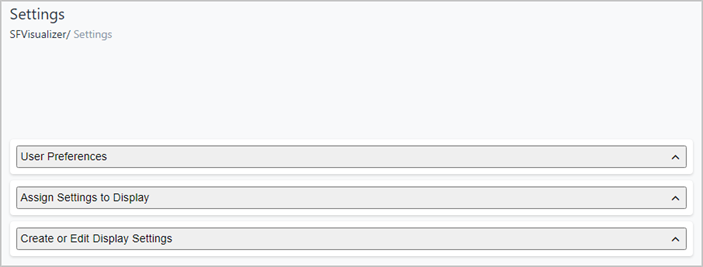
Settings appear as three panels; 'User Preference,' 'Assign Settings to Display' and
'Create or Edit Display Settings,' all under a "Settings" panel in SFHub Visualizer.
Settings in SFHub Visualizer
Default Settings
Default Settings (User Preference, Assigned Settings to Display and Display Settings) are those that are configured by an SF Administrator and are used as the base settings for all users who do not define their own settings. The default settings are automatically inherited by each new user who is added to SF Hub and given access rights to SFHub Visualizer. If a new user does not modify or create their own settings, the default settings will remain as their defaults. These settings can only be modified by an SF administrator in the SFAdmin application.
User Settings
Every user has the possibility to modify their own profile defining a personal configuration. These personal settings are only visible and modifiable by the individual.
While 'User Preference' settings are fairly self-explanatory, the 'Display Settings' are more involved and therefore, require addition explanation (See Display Settings under SigmafineVisualizer or DisplaySettings under SigmafineAdmin, for more details.)