Display Properties
The Display Properties panel allows to view the general display properties (e.g., name, author, version, etc.) as well as share the display with other SFHub Users or delete the display.
When you open a SFHub Visualizer Display, the command bar shows a Display Properties icon.
Property menu item

You can open the display properties from the the Displays tab of the artifact list:
Display Property panel
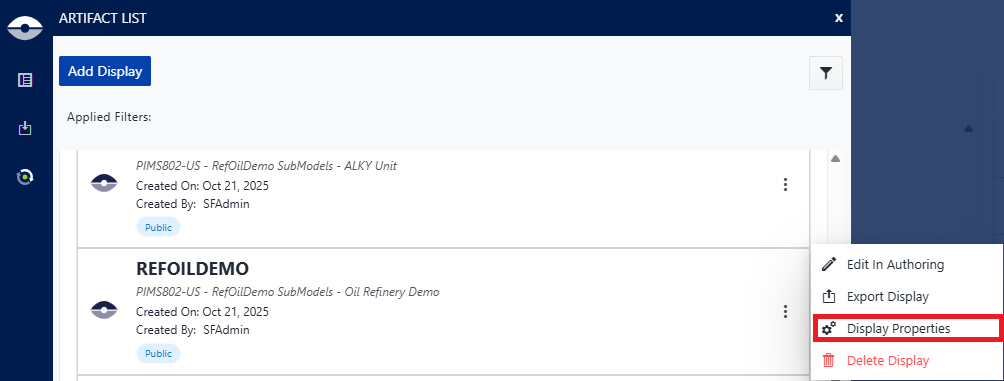
The Property menu item opens a Property of [display name] panel that allows you to view the properties of the display you have open.
Display Property panel
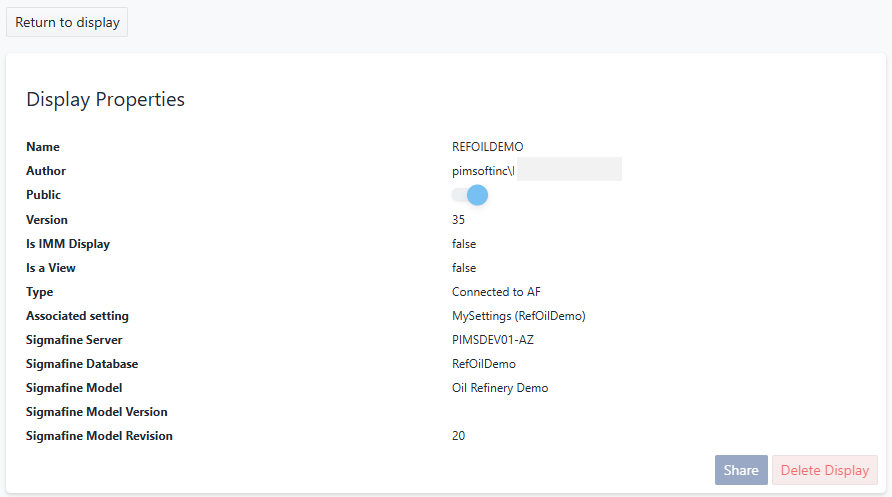
In addition to viewing the properties for the display, the panel provides options for sharing the display publicly or with specific individuals, and to delete a display that is no longer needed.
You must be the owner of the display in order to set or change its sharing options and must have Delete rights in order to delete it.
The following sectionstopics provide more details and steps for sharing and deleting a display.