Use the Diagnostics Filter Feature
The Filter feature in the Diagnostics panel can be used to filter out the graphs represented for the Template and Category diagnostic groups. The filter available depend on the diagnostic group you select. If you select:
- Template - the filter options are statistical index graphs by template name
- Category - the filter options are statistical indexes by category name
To use the Filter feature:
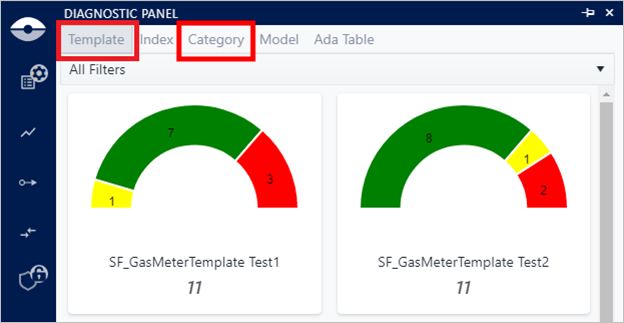
Click on the Template or Category group, as shown in the following figure.
Select Template or Category diagnostic group
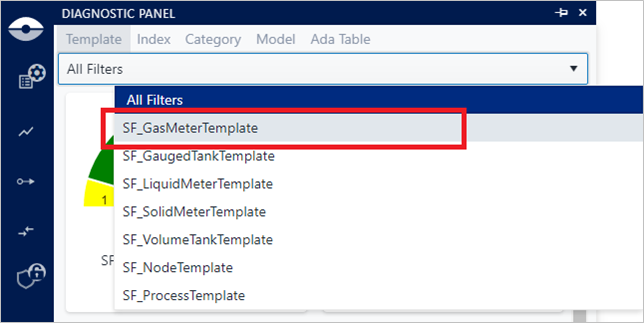
Click on All Filters and select the Template or Category you want to view (as shown in the following figure).
Diagnostic panel - Filters
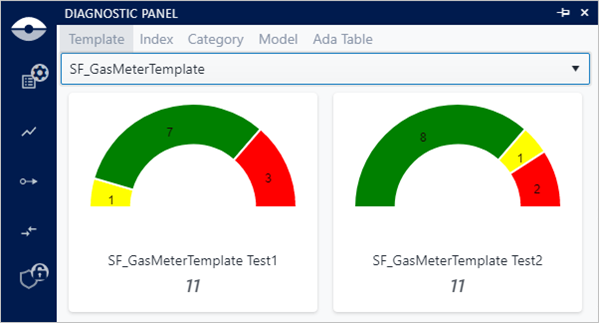
All graphs belonging to the selected template are displayed, and the 'All Filters' name is replaced with the selected Template or Category name.
All graphs associated with the selected filter
(Optional) To return to viewing all the filters, click on the selected Template or Category name and reselect All Filters (as shown in the previous figure).
�