Creating a Strapping Table
The name of the strapping table associated with a tank must be TankName strapping table.
To create a strapping table for tank TkEx-GaugedTank:
- In the System Explorer navigation pane, click on Library.
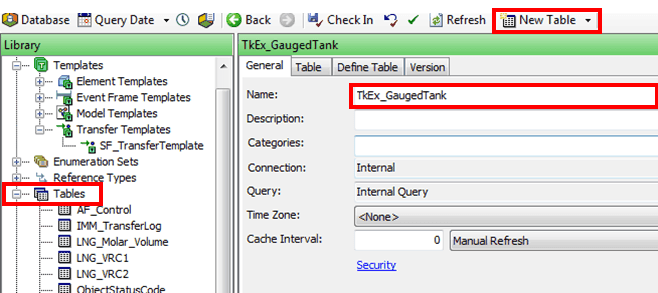
- In the Library pane, locate and open the Tables tree.
- Click the New Table button to open the tabs for the new table.
- In the Name box, type the name TkEx_GaugedTank as the strapping table name, since that the is the new table we are creating.
- Click on the Define Table tab.
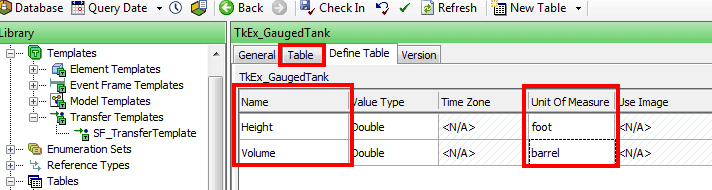
- Setup the Name as Height for the gauge and Volume for the quantity, along with their corresponding UOM's as shown in Figure 592.
- Click on the Table tab.
- Fill in the strapping table.
- When finished, click the Check In button to save the table.