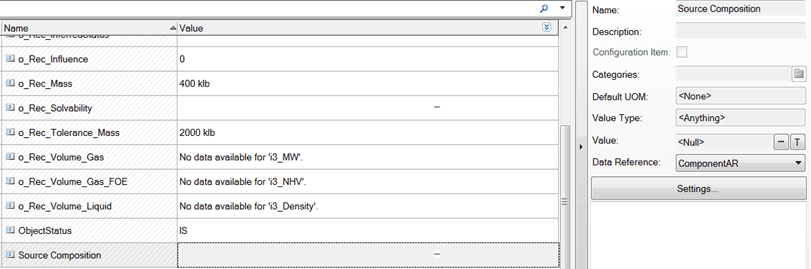
Assigning ComponentAR
Within the System Explorer’s interface, select an Element that has an Attribute to which you would like to assign ComponentAR. (ComponentAR can only be assigned to Attributes with value type “\<Anything>”.)
Upon selecting your attribute, you should see all of the attribute’s data lining the right side of the screen, as illustrated in Figure 1. In the far right side of this image you can see the “Name” of the selected Attribute is Source Composition, and the “Data Reference” selected is ComponentAR. It is in the Data Reference’s drop-down list that you must select ComponentAR for your attribute.