Attach and Detach Element
Attach Element
- Select the Elements to be attached. If Elements do not respect Sigmafine constraints, they will be automatically discarded by the system where only valid Elements will be kept.
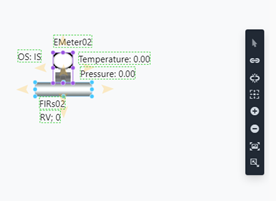
- Click on the
Attach on Tapicon.
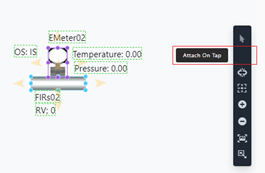
- A confirmation message is shown that element has been successfully attached.
Detach Element
You can detach elements in two different ways:
Select All Attached Elements
- Select the attached Elements. If the selection contains not attached Elements, the system will automatically discard them.
- Click on the
Detach on Tapicon.
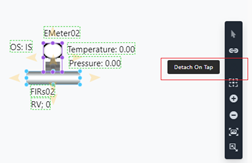
- The Elements are now detached.
Select Only the Elements to Detach
- Select only the Element(s) you want to detach (ex.: the second meter below).
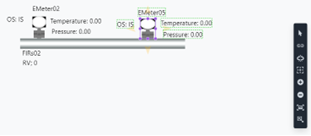
- Click on the Detach on Tap icon.
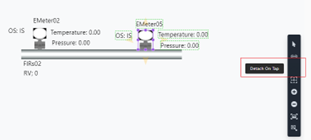
- The Elements are now detached.