Symbol Libraries
Graphic templates are organized and stored in Symbol Libraries. The Graphic Template is the common entity used by SFHub to contains all graphic entity properties (e.g., graphical image or icon, associated annotations).
Every graphic entity represented in the display is based on a specific Graphic Template where a graphic entity can be a basic one such as a text, a line, a generic icon or a complex one such as a Symbol used to represent Sigmafine Element.
By default SFHub comes with the Sigmafine Standard and the Whiteboard symbol libraries containing all the predefined Graphic Templates.
Users can create their own symbol libraries, one or more, associated with the Sigmafine Database to be used to build the Sigmafine or IMM display.
Symbol libraries, Sigmafine Standard or created by a user, contain by default the Prefab Graphic Template and the Prefab Sigmafine connection Graphic Template which can be customized:
- Prefab Graphic Template: Text, Line, Polyline, Ellipse, Circle, Rectangle, Triangle
- Prefab Sigmafine Connection Graphic Template: Polyline
- Icons: Extensive library of standard icons
See following topic about how to create and manage own symbol libraryes:
- Create Symbol Library
- Add Section to a Symbol Library
- Add Symbols to a Symbol Library
- Change Symbols in a Symbol Library
- Remove Symbols from a Symbol Library
- Copy a Symbol Library
- Export/Import Library
By default SFHub comes with predefined symbol libraries such as:
- General symbol library
- Sigmafine Standard symbol library
- Whiteboard symbol library
General Symbol Library
The General symbol library contains a large selection of images grouped by categories. The images may be used as icons in the display or can be used as the basis for creating custom Graphic Templates.
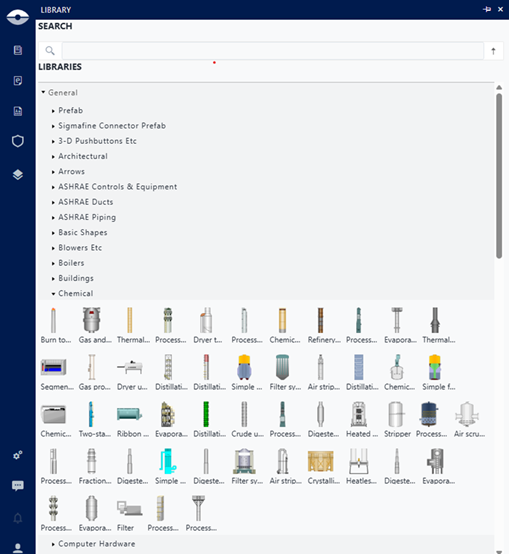
This is basically the same collection of icons that was available in the PI Processbook application.
The General Symbol library cannot be modified by users.
Sigmafine Standard symbol Library
The Sigmafine Standard symbol library is automatically created when you create a new display without any existing symbol libraries. The authoring environment generates this default library and associates it with your display's server and database.
This library contains standard graphic templates provided by SFHub, organized into sections based on standard Sigmafine Element templates.
The library is named Sigmafine Standard Library for - <Database name> and linked to the database referenced by your display.
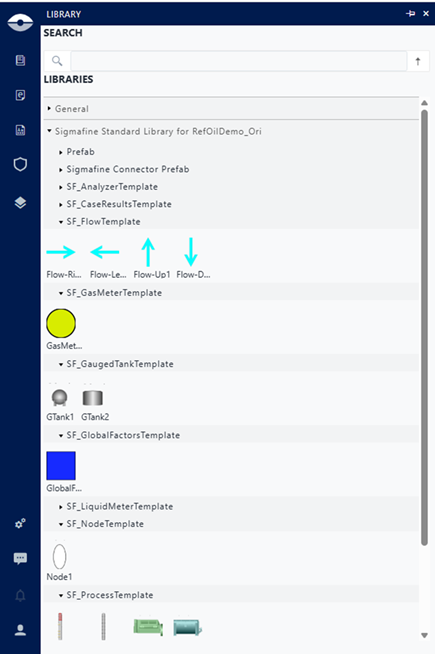
If your referenced Sigmafine database contains custom Sigmafine Element templates, the system automatically creates additional sections in the default symbol library for each custom template. You can then populate these sections with Graphic Templates for use in your display.
Customization
You can use the Sigmafine Standard symbol library as the default source of Graphic Templates for your display. This library is fully customizable and you can add new Graphic Templates or modify existing ones by changing images or adding annotations.
Default Graphic Templates provided by SFHub do not include annotations. You must add the required annotations to each Graphic Template to enable them to function properly in your display.
Whiteboard Symbol Library
The Whiteboard symbol library contains a set of simple shapes and icons that can be used to create freehand displays.
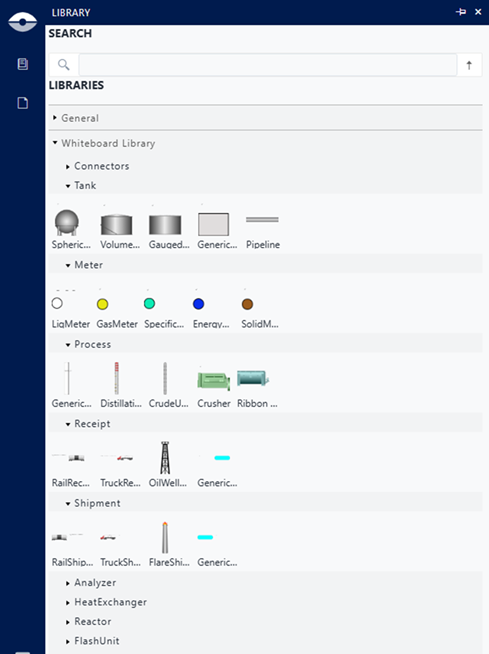
Shapes and icons are grouped into sections such as Meter, Process, Tank, etc. Each section contains a set of related shapes and icons that can be used to create freehand displays.
Shapes inside a section are not associated with any Sigmafine Element template. The association of a shape to a Sigmafine Element template is done by the 'GS Mapping' step of the Conversion procedure of the whiteboard display to a Sigmafine model.
Users can create their own whiteboard symbol library, or customize the existing one.