Search for Multiple Elements with a Single Result
To search for multiple elements that are output to a single result:
In the Search box, type part or all of the Element name.
Search for multiple Elements having a single resulting Element
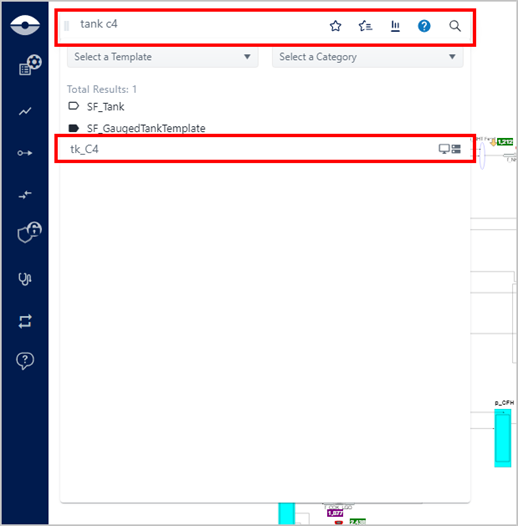
As you type, the list changes to display all the Elements that have the characters you have typed. Note that once you have finished the whole name, only one Element appears in the list. For information about the format of the search results panel, see Search Results Panel.
Click on the Element name to flag it in the Display.
The Element is flagged with a red stick pin in the Display panel (which indicates that the Element's details can be viewed in the Element Details panel) and the Element in the Display panel is relocated near the Element Details panel.
The following happens:
- The Element is flagged with a red stick pin in the Display panel (which indicates that the Element's details can be viewed in the Element Details panel).
- The Element Details panel opens.
- The Element in the Display panel is relocated near the Element Details pane.
Resulting Element flagged
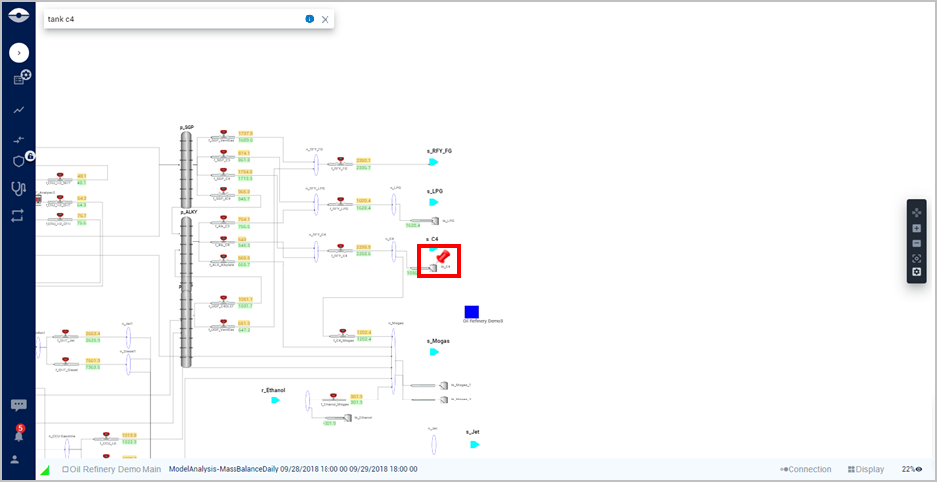
To view the Element's details, click on its red stick pin.