Configuring - Floating Roof Adjustment (Method 1)
This configuration can be done at the template or individual Element level. The example procedure shown below is done at the template level.
In the System Explorer navigation pane, click on Library.
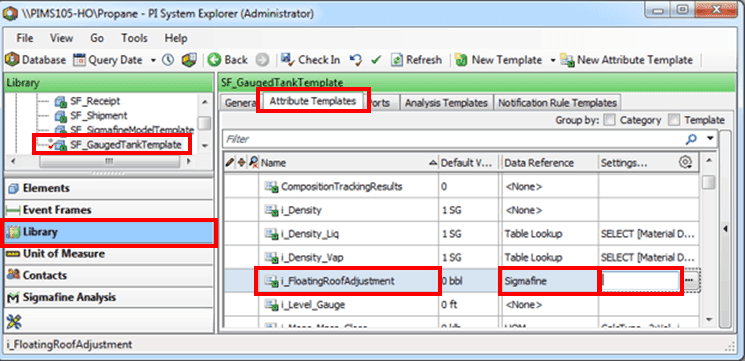
From the Templates > Element Templates tree, select the tank template (i.e., SF_GaugedTankTemplate).
Click on the Attribute Templates tab.
In the Name column, select the Attribute for the floating roof adjustment (i.e., i_FloatingRoofAdjustment).
In the Data Reference column select Sigmafine.
Double-click in the Settings box to open the Sigmafine Data Reference window.
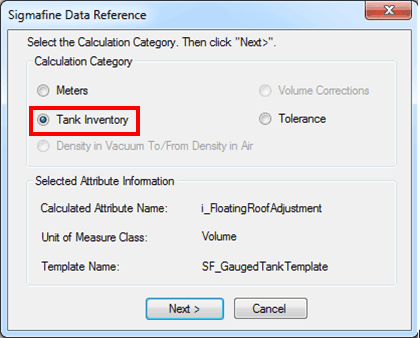
Under Calculation Category select Tank Inventory.
Click Next.
The Tank Inventory window opens.
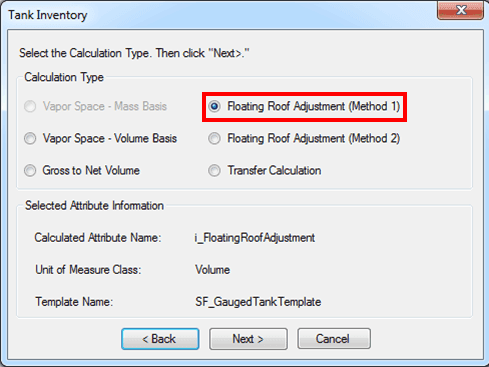
Select Floating Roof Adjustment (Method 1).
Click Next.
The Floating Roof Adjustment (Method 1) window opens.
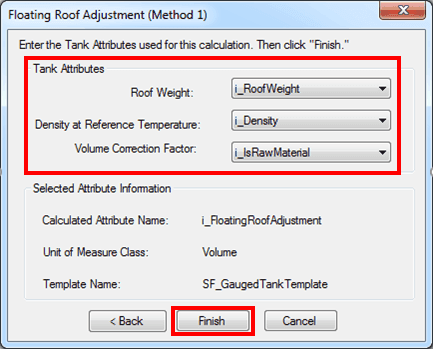
Using the following table, select the Tank Attributes.
Floating Roof Adjustment (Method 1) Window
Input Box / Button Description Roof Weight Select attribute; units of mass or weight. Density Select attribute; units of density. Volume Correction Factor Select attribute; (dimensionless). When finished, click Finish to complete the configuration.
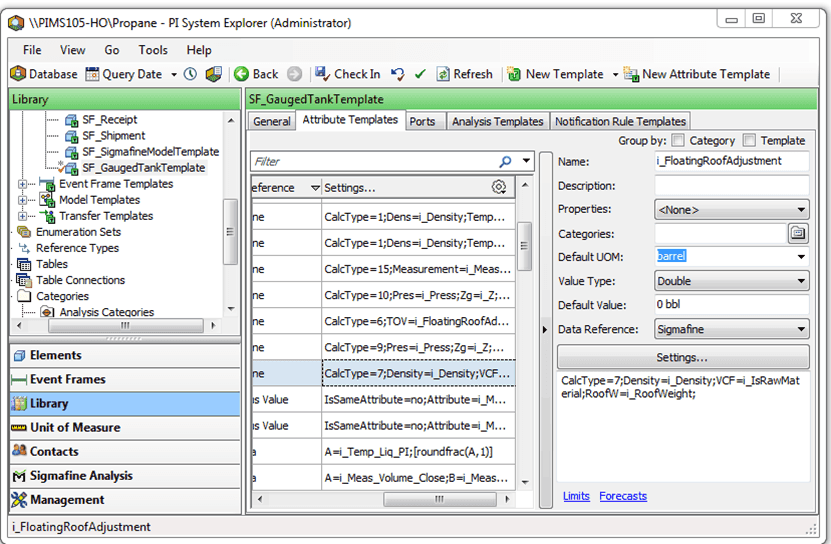
The following sample displays the configuration in the System Explorer window.