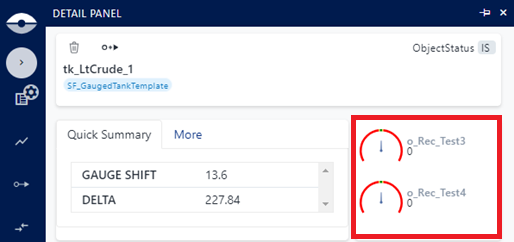
Quick Index Settings
The Quick Index settings in the Element Details panel displays the results from two Quick Index statistical index test factors. You can select which two test factors to display by choosing them in the Quick Index panel settings.
To set or change the Quick Index settings:
Ensure that you have clicked on a Template for which to define the Quick Summary layout.
Quick Index settings
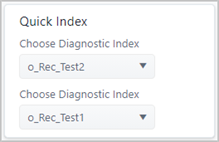
In the Quick Index panel, click the Choose Diagnostic Index down-arrow and select a different statistical index test factor.
If you want to select another different statistical index test factor, click the second Choose Diagnostic Index down-arrow and select a another index.
When finished, you can either define another layout in the Display Setting or click on the Template's "-" collapse icon to collapse the template's setting options view.
Your selections are automatically saved.
Quick Index example
In this example, the Quick Index has been configured to show the statistical
test indicators contained in the attributes o_Rec_Test3 and o_Rec_Test4.
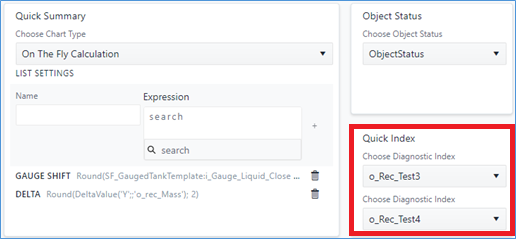
The rendering of this configuration on the Element Delails panel will be: