Create New Display Setting
SFHub Visualizer users can configure and use their own display settings for any display they view in SFHub Visualizer,
by using the Create Display Settings feature.
SF Administrators on the other hand, can use the Create Display Settings feature (made available by the SFHub Admin application) to define default Display Settings to be used
by all SFHub Visualizer users who do not create their own Display Settings, or who do not select to use their own Display Settings.
To create a new Display Setting:
Click Create or Edit Display Settings to open the panel.
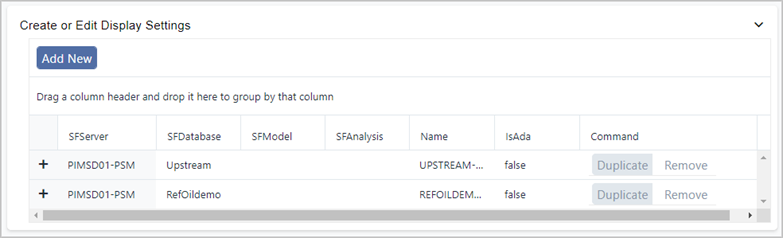
This section shows Display Settings that have already been created, if any, and provides options for creating new or duplicate setting templates, and modifying and removing existing ones.
Click the Add New button.
An Add Settings panel opens.
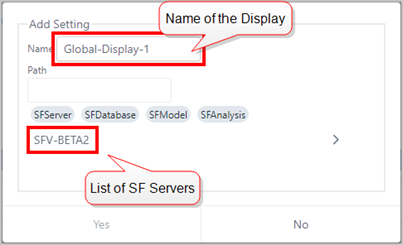
In the Name box, type a name for your new Display Setting layout.
infoYou must use a unique name for each Display Setting.
In the Path box, either select a Server from the list of available servers (as shown in the below Figure) or type the name.