Set Your Time Zone
Do this the first time you open SFHub Visualizer or as soon as you begin to use features that depend on your local time.
Setting your time zone is mandatory, as SFHub manages Date times according to your local time zone. When working with multiple Sigmafine Servers located in different time zones, you may consider changing your time zone directly after you switch to another server that resides in a different time zone.
To set or change your time zone for SFHub Visualizer:
At the bottom left corner, click on the
 User icon, as shown in the
following figure.
User icon, as shown in the
following figure.User Settings - Settings option

Select the Settings option, to open the Settings panel.
Click User Preference (Standard User Preferences in SFHub Admin) to open the panel.
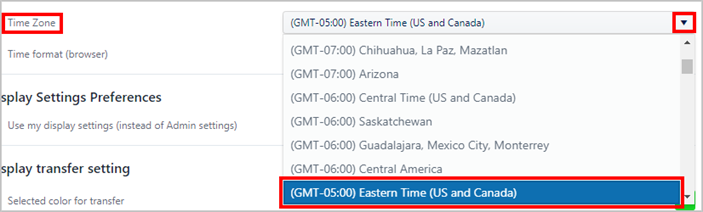
Under Localization, click on the Time Zone down-arrow and select your local time zone, as shown in the following example figure.
Settings - Localization - Language
Click on the SFHub Visualizer/ link at the top of the Settings panel.
Your setting is automatically saved.