Select the Previous Case
When you select a case to work with, the case is associated with the display you have selected.
You can easily switch from the current case to the previous case:
- Click on the Case Sarch icon in the command bar,
- The case search panel opens showing the current case on top of the list,
- Click on Load Previous Case buttom to select it.
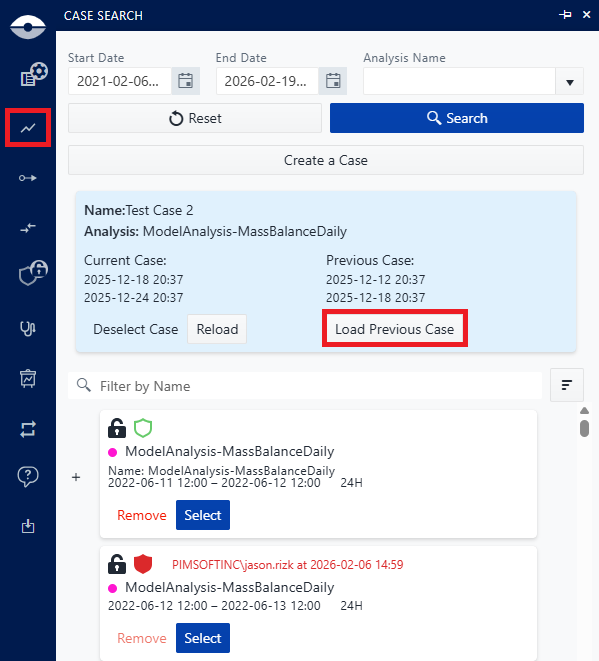
At the end of the process, the previous case is loaded and associated with the display you have selected.