Creating a New Model
When you create a new model, an empty working area window (the display) appears in ProcessBook.
To create a new model:
Open the AF Browser.
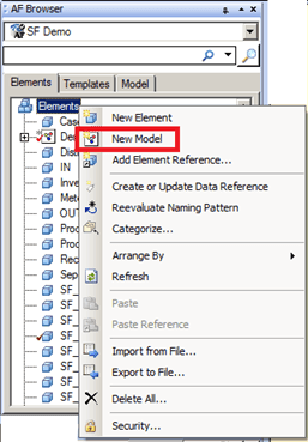
Right-click on the Elements folder or an Element or an Element Model.
Select New Model.
The Choose Model Template window opens.
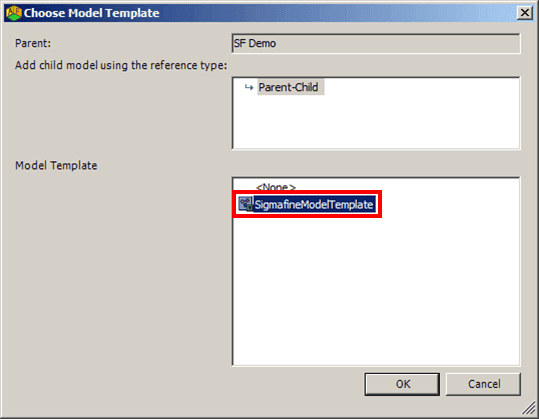
Select the SigmafineModelTemplate.
Click OK to save your selections and close the Choose Model Template window.
The new Model gets created and can be viewed in the AF Browser window.

(Optional) To rename the mode, right-click on it and select Rename.