Publishing Case Data on SF SQL Access
To submit a publish request to Sigmafine SQL Access Server for the current analysis case, you use the Publish icon on the AF Analysis Toolbar.
With an analysis Case selected in AF Toolbar:
Click on the
 Publish Case data on SF SQL Accessbutton.
The following window opens.

The selected Case appears to the right of the 'Submit' button.
Click the Submitbutton, to send the request to the Sigmafine SQL Access Server.
The request status is shown in the window.
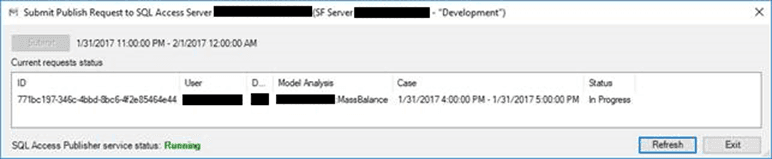
(Optional) Click the Refresh button to update the status as it processes.
When it finishes, click the Exit button to close the window.