Parameters Tab
The Utility & Settings window Parameters tab allows you to configure all of the working parameters of Sigmafine IMM. We recommend using the IMM Configuration application to configure the parameters.
To configure working parameters:
Click on the
 Settings button to open the Utility & Settings window.
Click on the Parameters tab to display the parameters configuration.
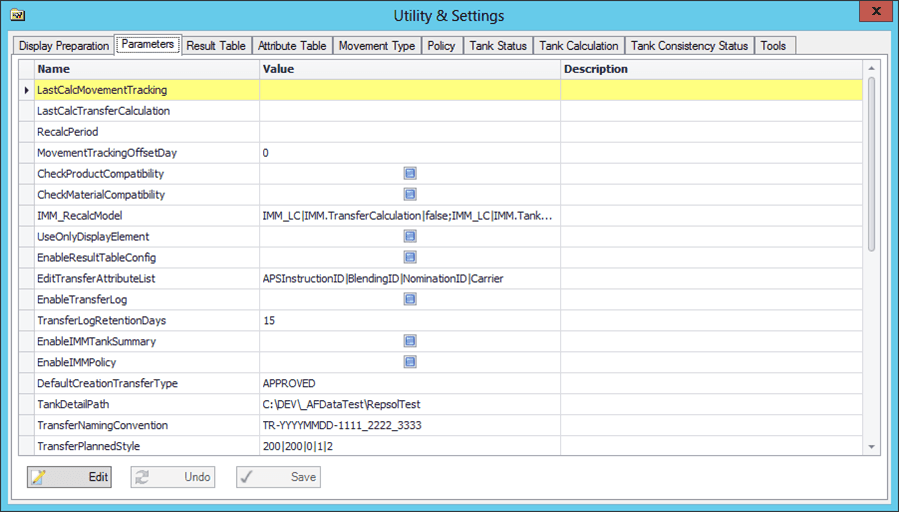
Click on the Parameters tab to display the parameter configurations.
Click the Edit button to allow for editing of editable configurations.
Make your configuration changes.
Click the Save button to save your changes.
If you do not wish to save your changes, click the Undo button.