Sigmafine AF Modeler Add-In
PI ProcessBook allows the users to draw the schema of the plant and to customize toolbars and drawing environments. In order to connect the plant data to the graphical elements in the display, it is necessary to load the Sigmafine Modeler Add-In. By selecting “Add-In Manager” from the “Tools” menu in PI ProcessBook, the user can enable the Sigmafine Modeler Add-In on the “Add-In Manager” popup window. On this window, the user can check the “Load on Startup” option, which sets the add-in to load at the launch of the application by default.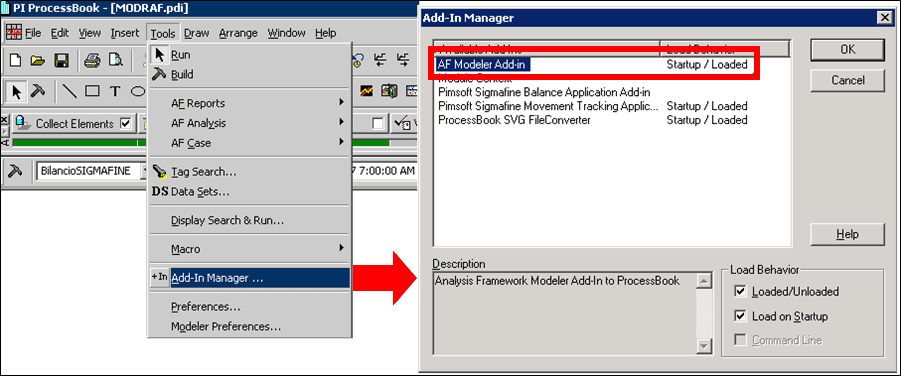
Once the Modeler Add-In is loaded, the Analysis Toolbar will allow users to switch between run and build mode.