Movement Type Tab
The Utility & Settings Movement Type tab allows you to customize the 'Movement Type' list in the Movement Management window.
 EXAMPLE: Movement Type list in the Movement Management window
The following figure is an example of the Movement Type list as displayed in the Movement Management window.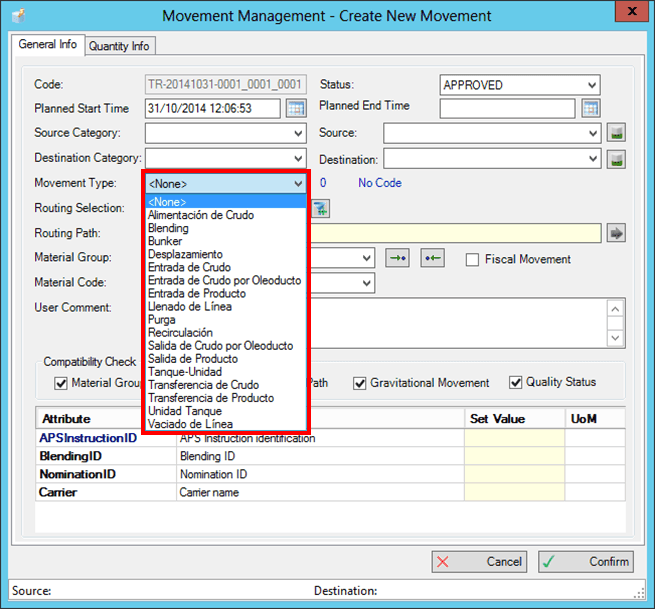
To customize the Movement Type list:
Click on the
 Settings button to open the Utility & Settings window.
Click on the Movement Type tab to display the Movement Type list configuration.
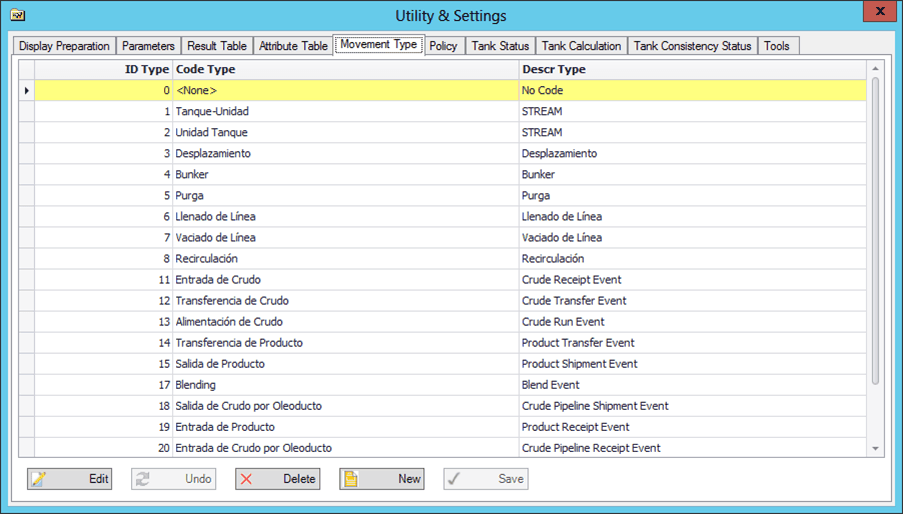
Click the Edit button to modify an entry in the list.
Click the New button to add a new entry to the list.
Click the Delete button to remove an existing entry from the list.
Click the Save button to save your changes.
If you do not want to save your changes, click the Undo button to discard them.