Policy Tab
The Policy tab allows you to define the authentication role for each user that works with Sigmafine IMM.
IMPORTANT: Prior to working with authentication roles, use the IIS tool to verify that the IMM web application is set to 'Windows Authentication' and that NTLM is the only 'Provider' defined.
To define authentication roles:
Click on the
 Settings button to open the Utility & Settings window.
Click on the Policy tab to display the Policy configuration.
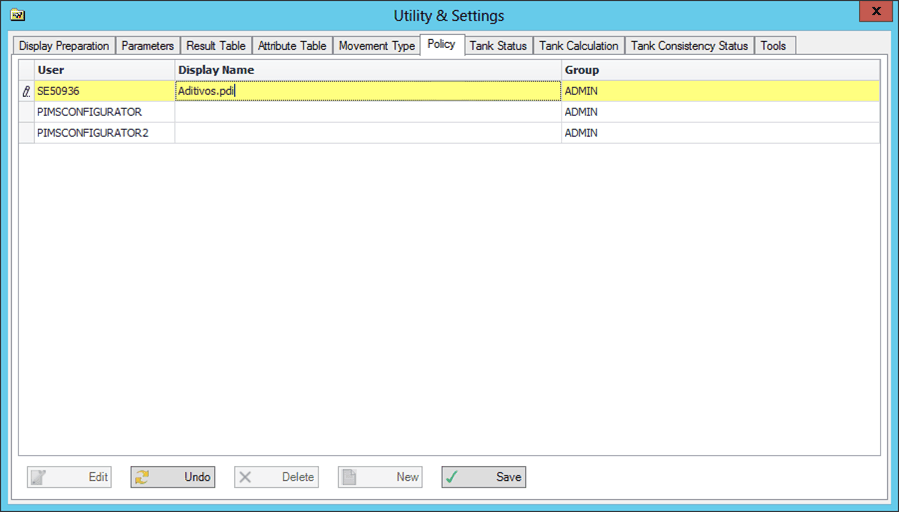
Click the Edit button to change a user's authorization.
Click the Delete button to remove an existing user.
Click the New button to add a new user.
Click the Save button to save your changes.
If you do not want to save your changes, click the Undo button to discard them.