IMM Utility & Settings
The Sigmafine IMM Utility & Settings feature provides a set of configuration panels to prepare the PI ProcessBook display.
Note: The Utility and Settings tool is available only for admin users. However, changes done by the admin user, using the Utility and Settings feature, can be seen by all of the system's users.
To access the Utility & Settings window:
On the IMM Toolbar, click the
 Settings button.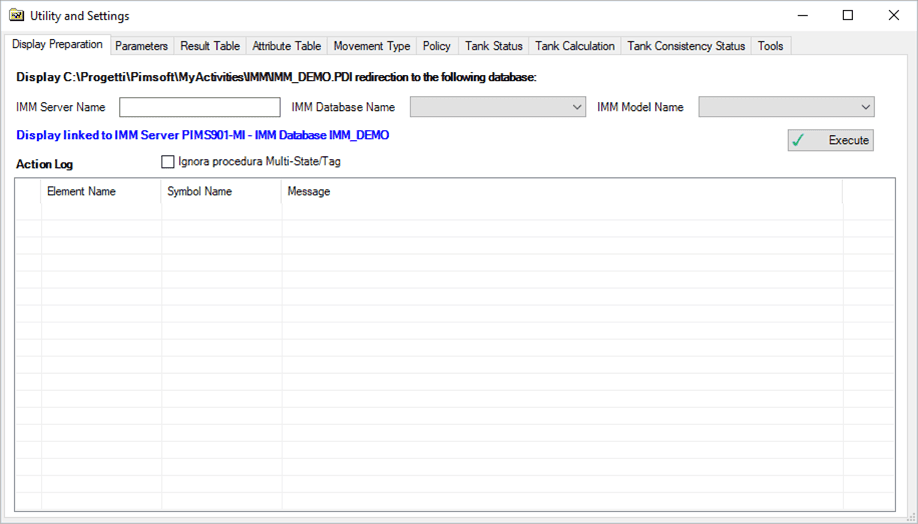
The following table provides descriptions for the various tabs in the Utility & Settings window.
Utility & Settings - Tabs
Tab Description Display Preparation Allows you to prepare a PI ProcessBook display to work with Sigmafine IMM and to move the display to another database.(For example: Moving the display from the test server database to the production server database.) Parameters Allows you to manage the Sigmafine IMM working parameters. Result Table Allows you to customize the Sigmafine IMM result table (Transfer, Tank, Instruments). Attribute Table Allows you to customize the Attribute table for each elements. Movement Type Allows you to define the movement type selectable in the Sigmafine IMM add-in. Policy Allows you to define the Sigmafine IMM access policy for each Sigmafine IMM user. Tank Status Allows you to customize the color of the Sigmafine IMM Tank Monitoring status. Tank Calculation Allows you to define the Tank calculation parameters. Tank Consistency Status Allows you to define the possible Tank Consistency status. Tools Composition Tracking Init:Allows you to load the composition tracking for Tank and PIPELINE.