Tank Calculation Tab
The Tank Calculation tab allows you to customize the quantity information that displays on the 'Quantity Info' tab of the 'Movement Management' window.
 EXAMPLE: Tank Calculation quantity information in Movement Management window
The following figure provides an example of the quantity information as displayed in the Movement Management window.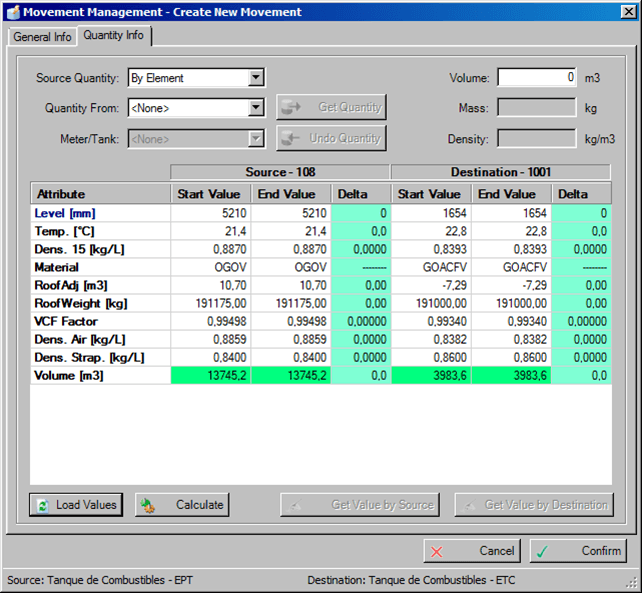
To change quantity information:
Click on the
 Settings button to open the Utility & Settings window.
Click on the Tank Calculation tab to display the quantity information.
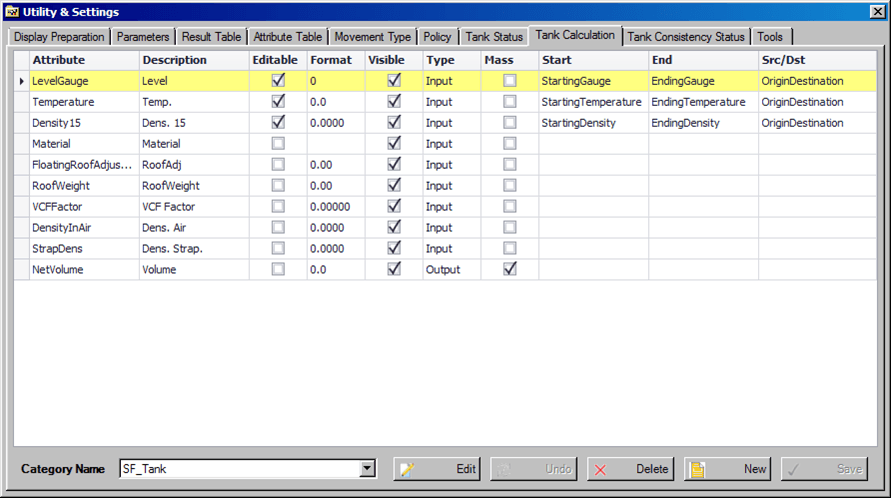
Click the Edit button to change the tank calculation behavior.
Click the New button to add a new quantity information attribute.
Click the Save button to save your changes.
If you do not want to save your changes, click the Undo button to discard them.