Result Table Tab
The Utility & Settings Result Table tab allows you to customize the Sigmafine IMM Results table number of columns (shown in the following figure) and the formats for each tab (Transfer, Tank, and Instruments).
 EXAMPLE: Result Table data structure
The following figure provides an example of the Result table data and how it is structured on the 'Tank' tab.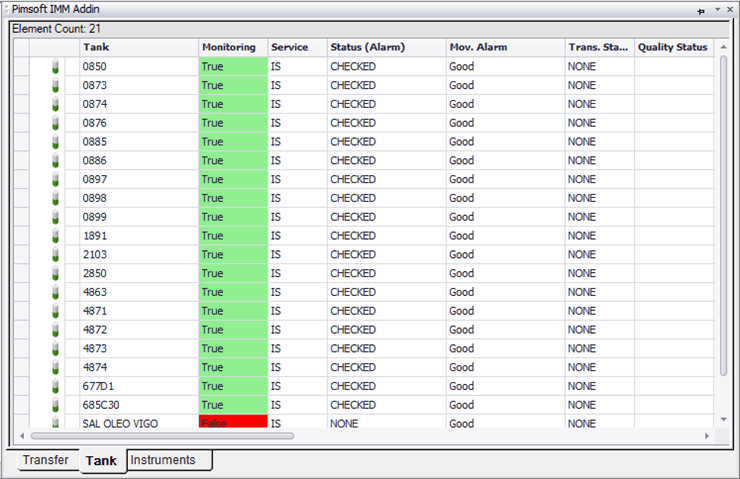
To customize the Result table:
Click on the
 Settings button to open the Utility & Settings window.
Click on the Result Table tab to display the Result table configuration.
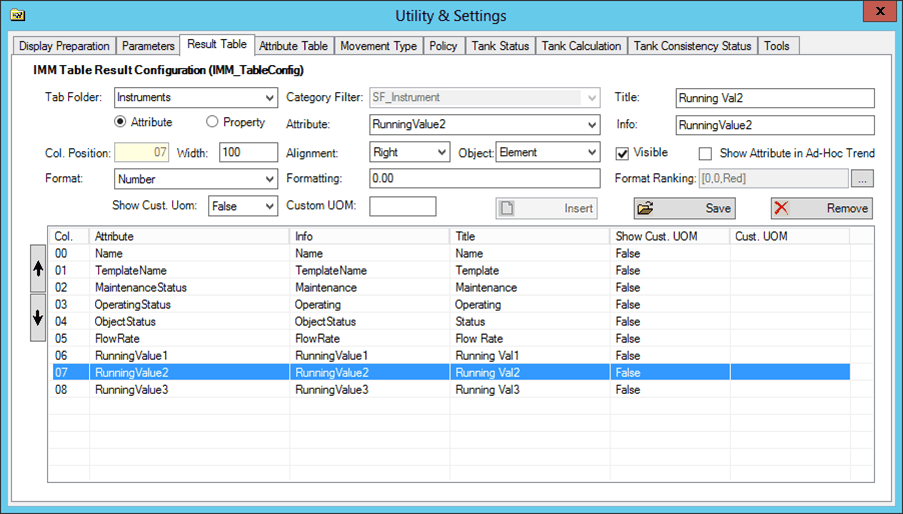
On the Result Table tab, you can insert new columns and remove existing columns in the table.
Click the Insert button to add a new column.
Click the Remove button to remove a column from the table.
Click the Save button to save your changes.