Setting a Default Server
The Default Server is the IF Server to which Configurator will automatically connect when you run it. This does not prevent you from connecting to other IF Servers, it simply provides convenience in connecting to the IF Server you most often want to connect to when running the Configurator.
To set the Configurator default IF Server:
Run the Configurator tool.
Click on your Windows Start button to display the list of installed software applications.
From the list of software applications, select Integration Framework > Configurator.
The Integration Framework - Configurator window opens.
From the menu, select File > Connections.
The IF Server Connections window opens.
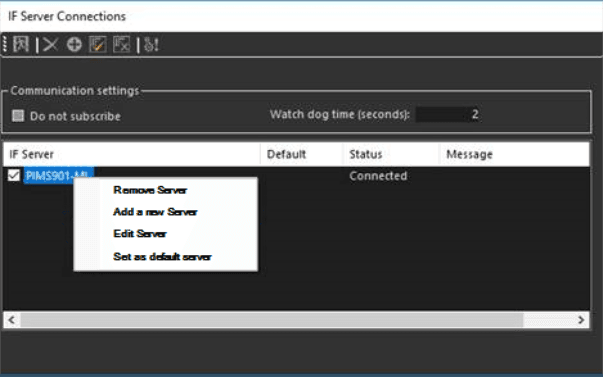
Right-click on the server you want to set as the default.
Select the Set as default server option.