Configuring Security Channel Permissions
To configure or change IF Security permissions for a Channel:
Run the IF Configurator.
Click on your Windows Start button to display the list of installed software applications.
From the list of software applications, select Integration Framework > Configurator.
The Integration Framework - Configurator window opens.
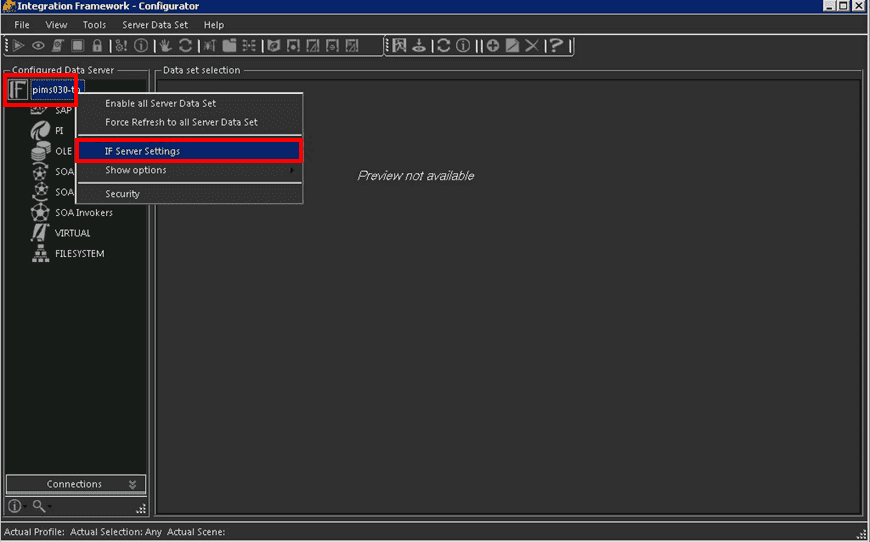
In the Configured Data Server tree, right-click on the IF Server name and select IF Server Settings.
The Explorer window opens.
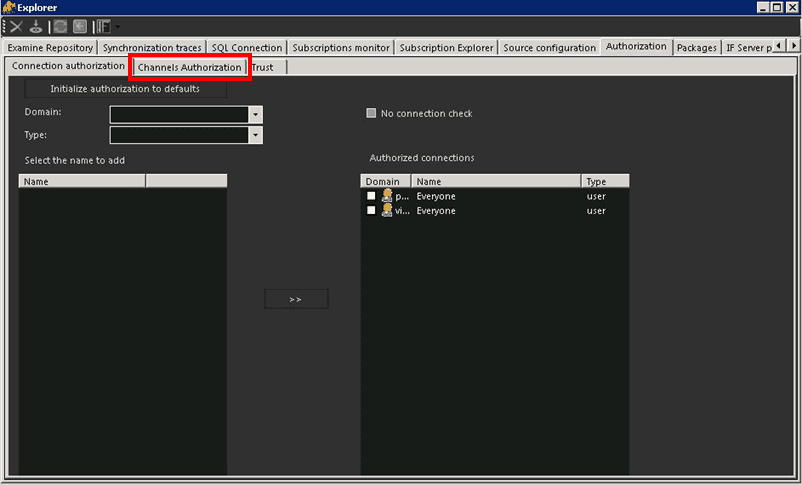
Click on the Channels Authorization tab.
The Channels Authorization information displays.
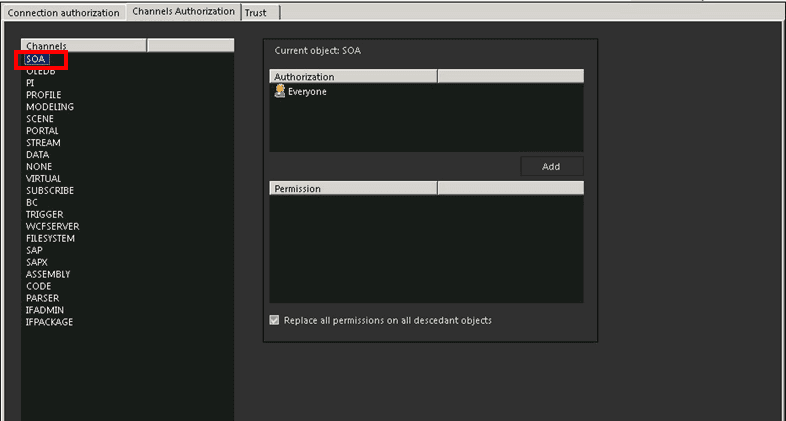
The Channels Authorization tab displays all the Channels that have been configured for connection through IF. As you select a channel, the users/groups with authorization for that channel displays under the Current Object: [channel name] Authorization list.
In the Channels list, select the channel for which you want to change authorization access or permissions.
Follow the steps for the action you need to perform on the selected channel.
Under the Current Object: [channel name] list, click the
 Add button.
A Users and Groups selection window opens.
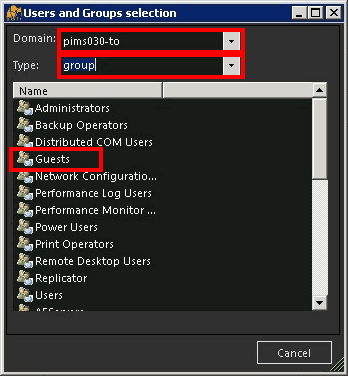
Click the Domain down-arrow and select the default initialization domain.
Click the Type down-arrow and select the type of authorization search; Users or Groups.
The 'Name' list populates with the users/groups that are associated with the selected domain (as shown in Figure 1482).
In the Name list, double-click on the user/group you want to add.
In our example, we have selected the "Guests" group.
The selected name is added to the Current Object: [channel name] 'Authorization' list, as shown in the following figure.
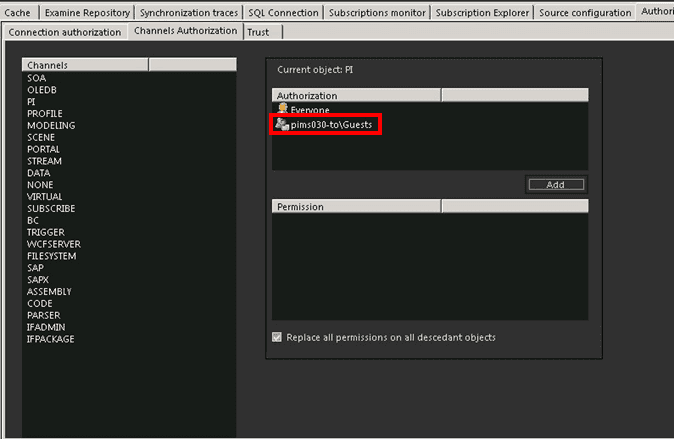
To set the permissions for the newly added name, follow the steps under Set or change authorization permissions.
Repeat steps 'a' through 'e' for each user/group you want to add.
In the Authorization list, select the name of the user/group to remove.
Right-click on the name and select Remove.
Repeat steps 'a' and 'b' on each user/group for which you want to remove IF authorization.
Set or change authorization permissions
Under the Current Object: [channel name] Authorization list, select the user/group for which you want to set or change permissions.
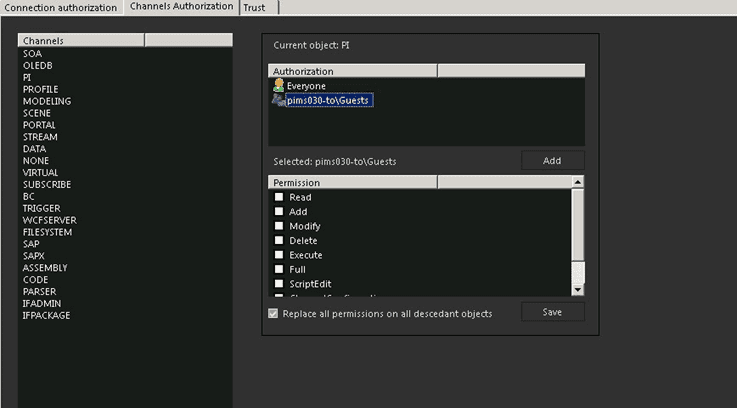
The Permissions list displays all the possible permissions with a checkbox next to each one. These are the permissions available on the selected IF server for the chosen user/group, for the selected channel.
 Add a user/group authorization
- A checked box indicates that the permission is authorized.
- An unchecked box indicates that the permission is not authorized.
- Set or change the permissions by checking and unchecking the checkboxes accordingly.
- Check the Replace all permissions on all descedant objects checkbox.
- Click the
 Save button to save the permissions settings.