Administration & Configuration
The SF-ADA uses the configurations stored in AF Tables and Attribute categories to provide results. The required tables and categories are contained in a default XML library file (Sigmafine ADA.xml) in the directory C:\Program Files (x86)\Sigmafine\Library.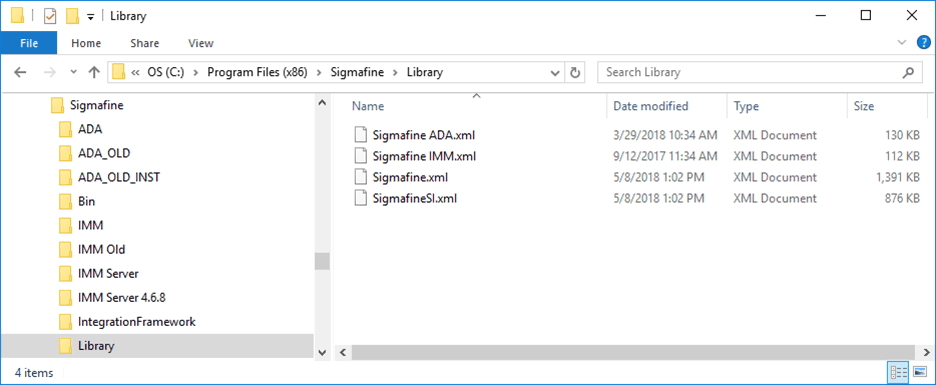
The Sigmafine ADA.xml library is also saved to your PIAF System library collection during the SF-ADA installation. The PIAF system library collection is saved to the directory you had selected when you selected the location for your AF Database library.
It is good practice to first load these default library files on your database, and then customize SF-ADA according to your requirements. All the customizations can be made using the AF Tables. There are also some toolbar buttons that allow you to customize the AF Tables without working directly on tables themselves. The following list describes each AF Table required for SF-ADA. For more details on a table and how to configure it, refer to the associated topic.
AF Tables
- SFDiag_TableConfig – Sets up the Sigmafine Results table and how Attribute values are displayed. Please see AF Table: SFDiag_TableConfig for more details.
- SFDiag_EditAttr – Sets up whether the Attributes for an Element in the Sigmafine Results table can be edited using the Add-in and checked against maximum and minimum values. Please see AF Table: SFDiag_EditAttr for more details.
- SFDiag_CaseRepl – Sets up what data are copied from a previous Case to the current Case. Please see AF Table: SFDiag_CaseRepl for more details.
- SFDiag_Param – Sets up the parameters used by the Add-In and their configuration. Please see AF Table: SFDiag_Params for more details.
- SFDiag_Lang_XX – Sets up the language customization for Captions, Messages and Tool-tips. This tables gets created automatically for EN (English) when the Add-in is loaded. Please see AF Table: SFDiag_Lang_XX for more details.
The following list contains the Attribute Categories required for SF-ADA.
Attribute Categories
- BA_GetInfo_Attribute – Attributes assigned to this category are displayed in the ‘Attribute Info’ section of the ‘Object Info’ window. Please see Object Info Settings for more details.
- BA_GetInfo_Balance – Attributes assigned to this category are displayed in the ‘Balance Info’ section of the ‘Object Info’ window. Please see Object Info Settings for more details.
- SFDiag_Trend - Attributes assigned to this category are displayed in the Ad Hoc trend that opens when using the ‘Sigmafine Ad Hoc Trend’ button. Please see Configure Ad Hoc Trend Settings for more details.
Prior to working with Sgimafine ADA Library, you must first load the library. If this has not already been done, please follow the steps found under Sigmafine Load Library Utility or Sigmafine Load Library Utility 4.7 SP1, depending on which version you are installing.