Remove Symbols From Library
A Graphic Template can be removed from the library in case it is no longer needed.
Note
The removed Graphic Template is persisting in a refernced display.
1. Select Library
- Open the Symbol Libraries Panel from the display editor.
- Open the Library Property Panel, select the Library tab and check the library to be edited.

2. Check-out Library
Select the Edit tab and check-out the library where are Graphic Templates to be removed.

3. Remove Symbol
- Select the Symbol Libraries Panel, expand the library and the library section containing the Symbols to be removed.
- Select the edit icon on top of the Symbol Libraries Panel. The Graphic Templates stored in the library section will show the remove icon.
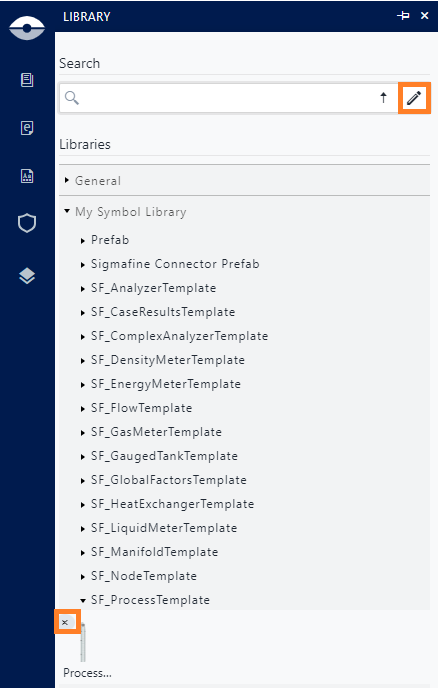
- Click the remove icon of the graphic Template to be removed.
4. Check-in Library
Select the Edit tab and check-in to the library.