Change Symbols in Library
You can change a Graphic Template in your library to update its annotations, animations, or style.
1. Modify Graphic Template
- Open the Symbol Libraries Panel from the display editor.
- Select the Graphic Template from the library section and drag the symbol into the display.
2. Change Symbol
Add or remove annotations, animations or style of a Sigmafine Element (see Symbol Property Panel for more details).Click on save to store changes.
3. Set Graphic Template as Standard or Global
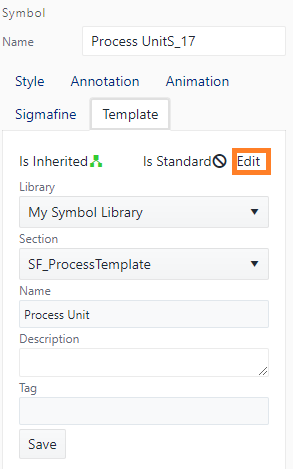
A Graphic Template can be stored as a Standard Graphic Template by clicking on the Edit button and select the Standard Graphic Template.