AF Browser Elements Tab
The Elements tab contains the various elements that exist in a database and can be used to configure a model. The primary function of the Elements tab is to facilitate Model building by providing a means of dragging elements into a display.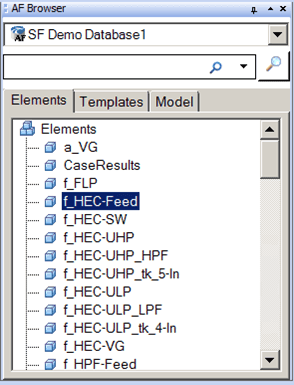
To use an Element for a Model display:
- Drag the Element from the Elements tab into the Model display.
- To create a new element:
Right-click on an Element and select New > New Element.
This creates a new Element in the Elements list based on the Element you right-clicked on.
Drag the new Element into the Model display.
- If an Element is already part of a model, you can double-click on it in the Browser window to be taken directly to that element's graphic symbol in the Model display.
The following figure shows the available options that appear when you right-click an Element in the Elements tab.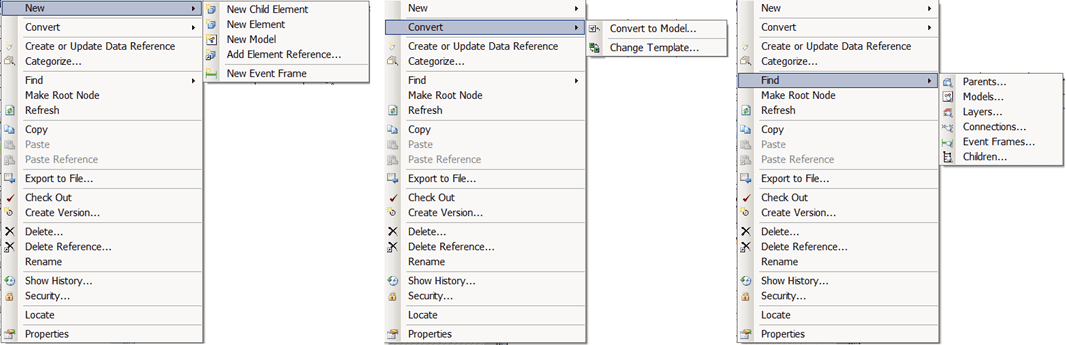
Note: These items are same as that would be seen in PI System Explorer. To learn more about them, please refer to the "PI AF User Guide".