Edit Options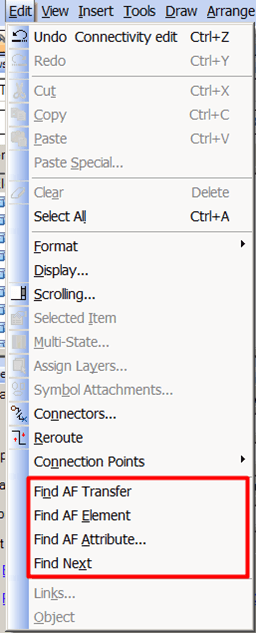
Edit Menu Options for Modeler
| Menu Option | Function |
|---|---|
| Find AF Transfer | Open the Transfer Search dialog box to locate an AF transfer in a display. Also use the Transfer Search dialog box to create, edit, delete, import, export, and rename transfers. |
| Find AF Element | Open the Element Search dialog box to locate one or more AF elements in a display. |
| Find AF Attribute | Open the Element Attribute Search dialog box to locate an AF Attribute in a display |
| Find Next | Locate the next instance of an object that has already been found. |