Layer Properties - General Tab
Use the General tab to configure the basic settings for a layer.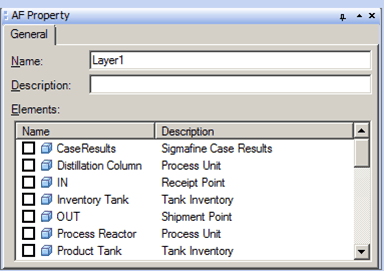
The following table provides descriptions for each of the inputs found under the General tab and what to do with each one.
AF Property Window – General Tab for a Layer
| Input Box / Button / Checkbox | Description |
|---|---|
| Name | Assign a Name for the layer. |
| Description | (Optional) Enter a Description for the layer. |
| Elements | Provides a list of Elements in a model.To select an Element to add to the selected layer, check the checkbox to the left of the element.To remove an Element from the selected layer, uncheck the checkbox to the left of the element. |