Call Analytics from SFHub Studio Analytic
Any SFHub Studio Analytic can be activated from another SigmafineHub Studio Analytic that is defined in the same SigmafineHub Studio Project.
This capability allows us to conceive our analytic as a bunch of sub-steps (the called analytics), and then to reuse a logic instead of rewriting it.
Another advantage of this approach is to test small parts of our logic in isolation from the rest. This is especially true in interpreted languages, such as SigmafineHub Studio.
Example: Set Code Block - Totalize by Key
For the purpose of this topic, we used the previous example implemented to totalize the tank mass by material and the flow mass by material (see the Grouped Aggregation Using Patterns: Totalize by Key sectiontopic, for more information about using patterns).
The two aggregated totals calculations are now isolated in two distinct analytics:
| TankMassByMaterial Analytic | Code Transcription |
|---|---|
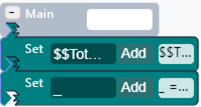 | 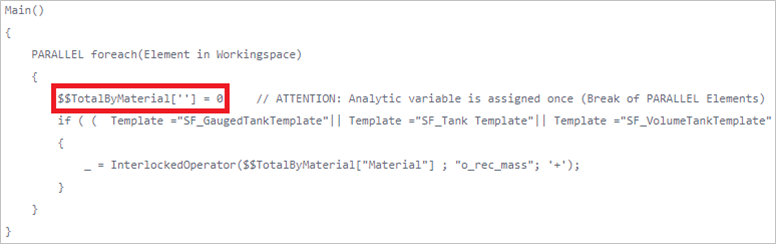 |
If made available at the end of the execution, the analytic variable
$$TotalByMaterial is of type SFHub Dictionary.
| FlowMassByMaterial Analytic | Code Transcription |
|---|---|
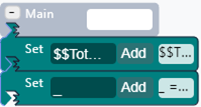 | 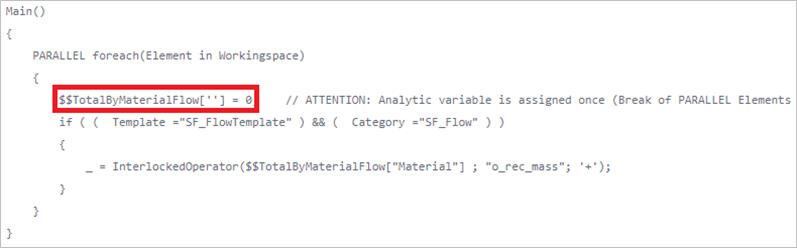 |
It made available at the end of the execution, the analytic variable
$$TotalByMaterialFlow is of type SFHub Dictionary.
The below SFHub Studio analytic is designed to call the two analytics previously described.
| Analytic designed to call both analytics | Code Transcription |
|---|---|
 |  |
At the end of its execution, the two analytic variables populated by the called analytics are available on the caller analytic, based on the configuration of the \'Exec Analytic\' SFCodeBlock.
Edit Exec Analytic - Copy Variables enabled
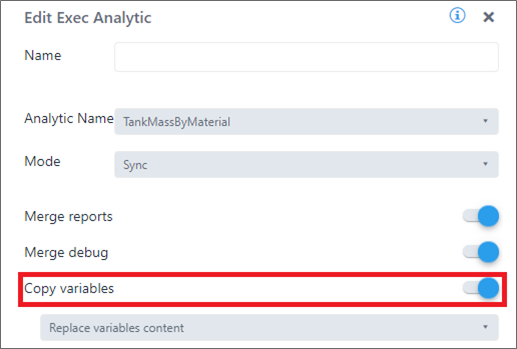
It should also be noted that the activation of the two analytics is performed in synchronous mode.
A more efficient way to activate the two analytics is to use the asynchronous mode allowing their execution in parallel resulting in time savings of the caller analytic.
| More Efficient Analytic Code Blocks | Code Transcription |
|---|---|
 |  |
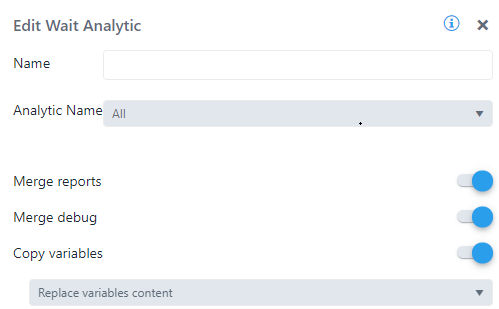
For completeness of the current example, the following image shows the configuration of the two SFCodeBlocks 'Exec Analytic' and 'Wait Analytic'.
| Edit Exec Analytic | Edit Wait Analytic |
|---|---|
 |  |
Calling an analytic from SFHub Studio Analytic is not the same as calling a function. When planning to use this type of functionality, the following should be considered:
The \'Exec Analytic\' SFCodeBlock is only executed once, and not for every item in the caller\'s Working Space.
The activated analytic receives the same Sigmafine Case context as the calling analytic and is in charge of the analytic to process all elements of the incoming Working Space, to produce the expected result.
Please refer to the SFCodeBlock Reference sectiontopics for more details about the available options.