Switch Between Display Views
It is not unusual to have multiple displays that are related or that make up a single "main" display. When dealing with these types of multiple, related displays, you may need to view or work with several of the displays in the group. SFHub Visualizer provides a feature that allows you to easily switch between related displays so that you can accomplish your task.
To switch between the various displays in a group of related ones:
Select a display that contains sub-displays.
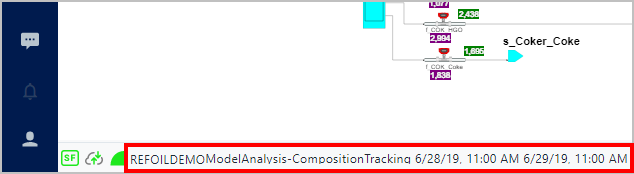
The left-side of the Display panel Status bar shows the name of the currently opened display.
Display name in Display panel
Click on the currently selected display (or sub-display) name to open a list of all the related displays.
List of sub-displays
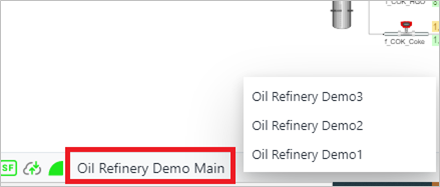
Click on the name of the display you want to select.
The newly selected display is opened in the Display panel.
To view the previously selected display or to show a different one in the related group, repeat steps 2 and 3.