Minimap
The Minimap is a small overview window that provides a scaled-down representation of the entire display. It helps users maintain spatial orientation and navigate quickly within large display schemas. The Minimap shows the full extent of the display, with a highlighted rectangle indicating the current viewport visible in the main Display panel.
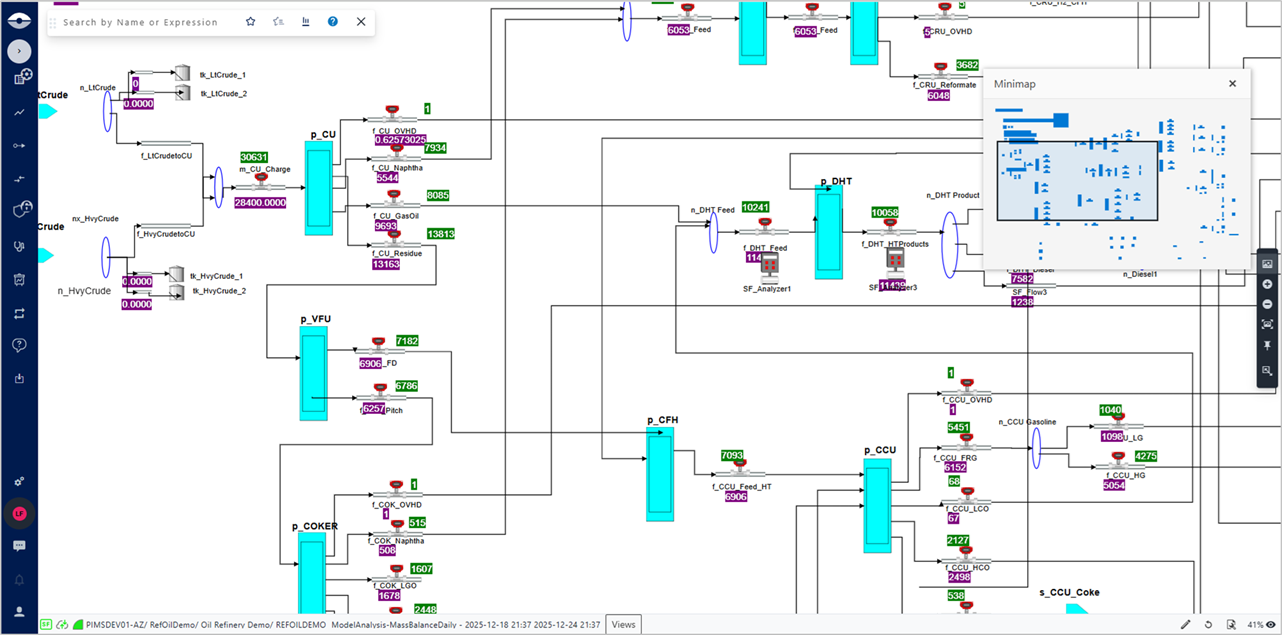
You can open the Minimap by clicking the Minimap button in the Zoom panel on the right side of the Display panel. To use the Minimap:
- Click the Minimap button
 in the Zoom panel on the right side of the Display panel to open the Minimap.
 - see the entire display in the Minimap panel.
- The highlighted rectangle in the Minimap indicates the area currently visible in the main Display panel.
- To navigate using the Minimap, click and drag the highlighted rectangle to pan the main Display panel to different areas of the display.