Statistic
The Statistic panel shows statistical information about the last analytic execution, code block specifics stats and overall execution stats.
Note
The Statistic log data is only available after the analytic has finished executing all SFCode Blocks.
Example of the Statistics panel
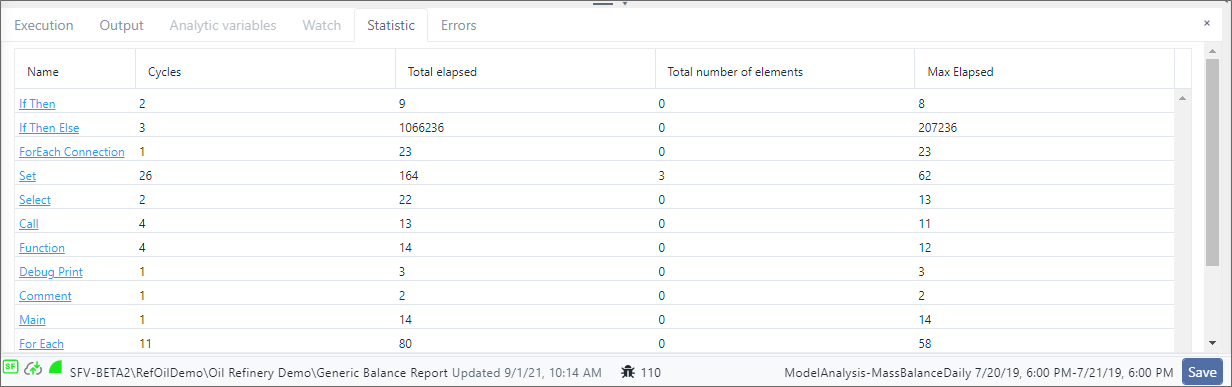
The Statistic log includes the following statistics for each SFCode Block in the analytic.
| Column Header | Description |
|---|---|
| Name diagram. | Identifies the execution block. If it is a code block, it has a hyperlink to its position in the analytic |
| Cycle | Displays the number of execution block recursions. |
| Total elapsed | Displays the total execution time of the execution block's cycles. |
| Total number of | Displays the total number of elements processed by the execution block. |
| Max Elapsed | Displays the maximum execution time between all the execution block's cycles. |
To work with the Statistic panel:
Click the Statistic tab.
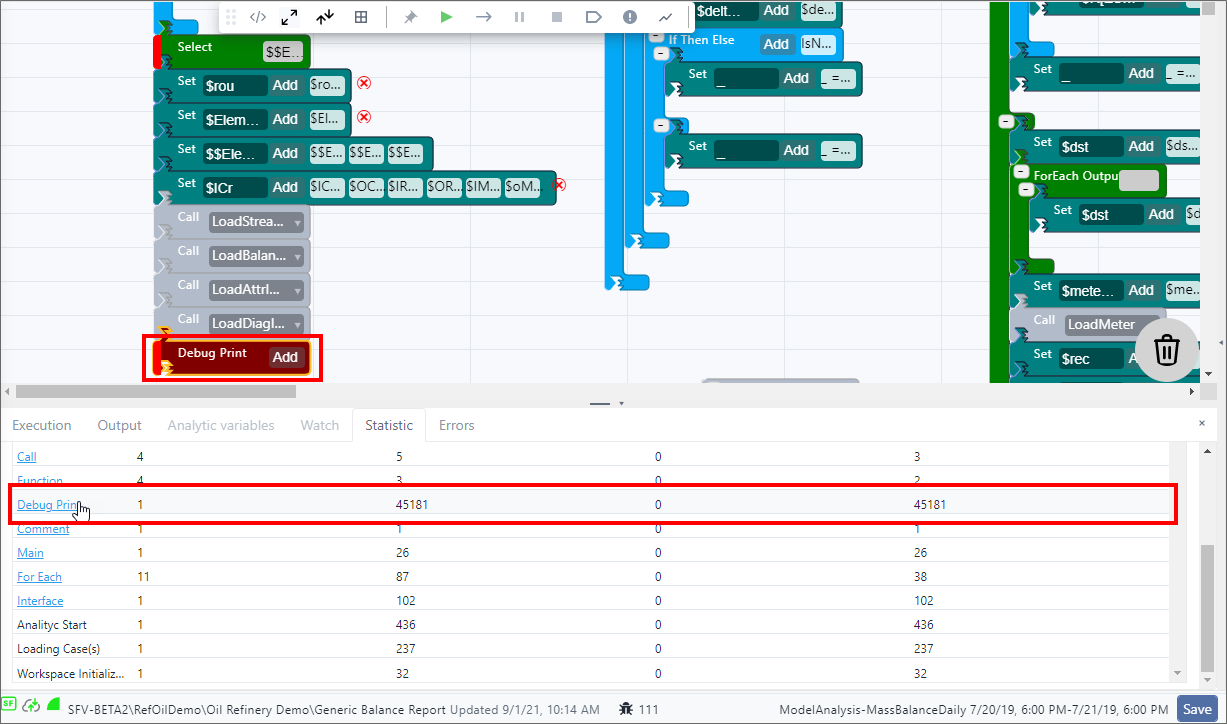
(Optional) Click on a SFCode Block 'Name' in the log, to highlight it in the analytic web editor panel.
Example of SFCode Block selected from log