View the TES Log
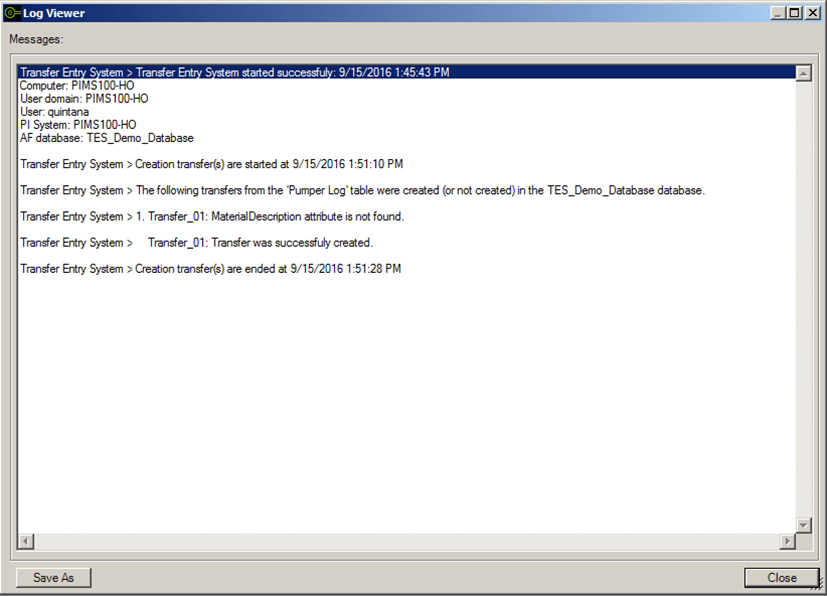
TES provides a feature that allows you to view a log for the processes it performs. The log can be used for the purpose of troubleshooting or as a tool to check when you want to ensure that a Create Transfer process has completed successfully.
To view the Transfer Log:
Log into the TES application.
The Transfer Entry System window opens.

From the menu select Log > Show.
The Log Viewer opens.
Additional Method to Check Transfer Creation
If you are checking to see if a transfer creation has completed successfully, you can also do so by searching for Transfers in System Explorer.
- In System Explorer, select Event Frames.
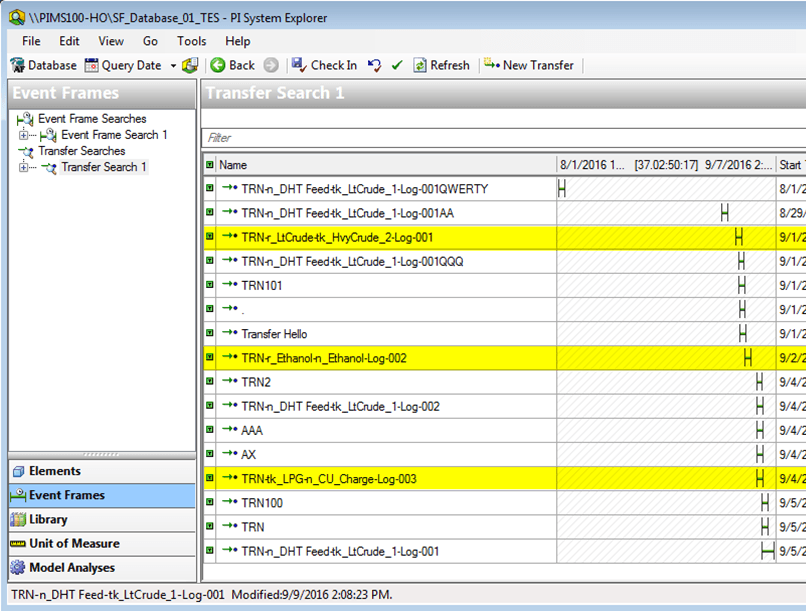
- Under Transfer Searches, select the Transfer Search you need.