Delete a Record
TES provides a features that allows you to delete transfer records from the Pumpers Log Form if you do not need them. This is mostly used when you have saved records to a Transfer Set Template and are reusing that template as the basis for creating another set of transfers that does not involve all the records found in the template. Removing the records from the Pumper Log Form does not remove them from the template unless you do a save to the same template after removing the records.
To delete a record from the Pumper Log:
In the Pumper Log Form, highlight each record that you want to remove, as shown in the following figure.
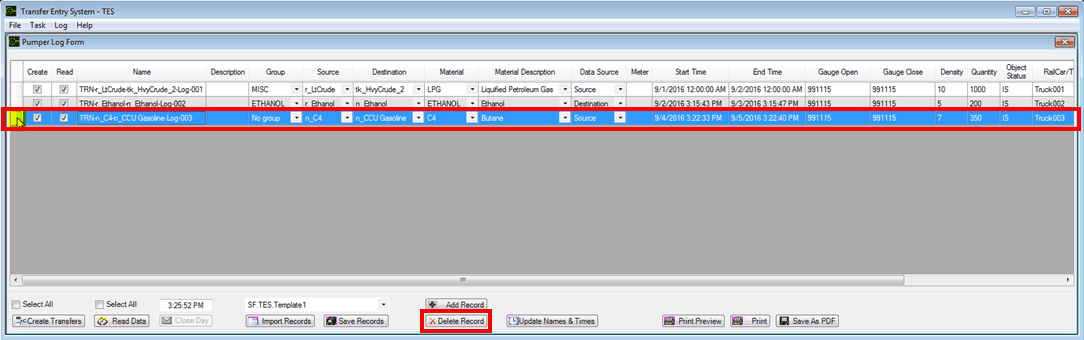
Ensure that you select the entire row of each record you want to delete.
Click the Delete Record button.
The records are removed from the Pumper Log. However, they still remain in the Transfer Set Template unless you save the updated Pumper Log to the same template.