Read Data
The TES Pumper Log form provides a Read Data feature that allows you to read data from the model in AF when creating a Transfer.
For example; Let’s suppose you are creating a new Transfer and you want to read the data from PI for those Attributes that are configured with a PI Point Data Reference. To do this, you would select the record for which you want to read from PI and then select to read the data.
To read data from PI for Attributes that are configured with a PI Point Data Reference:
In the Pumper Log Form, check the Read checkbox next to each record you want, as shown in the following figure
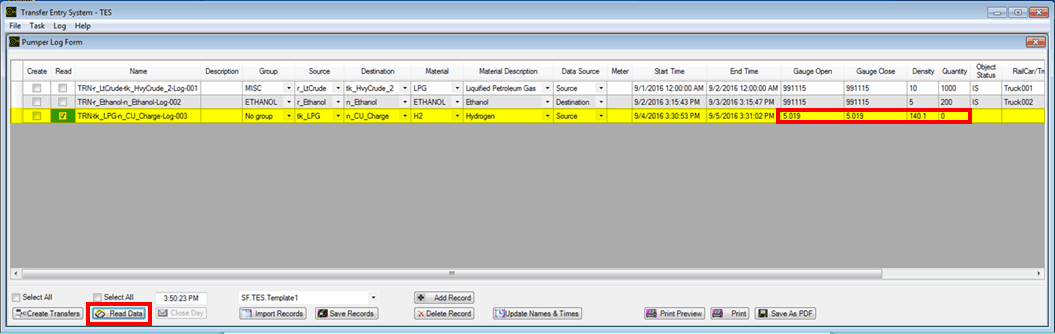
Click the Read Data button.
Data is read from PI for those attributes configured with a PI Point Data Reference, and displayed in the Pumpers Log Form.
If a transfer does not have the “Read” checkbox checked, the transfer’s original values are retained.