Elements Tab
The Elements tab shows the elements that were used during the analysis.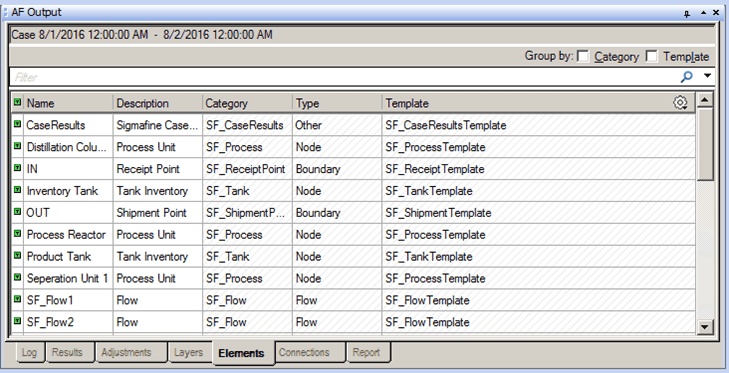
The following table provides descriptions for each of the columns found under the Elements tab. Please note that all column data is Read Only - the data cannot be edited.
AF Output Window – Elements tab
| Column | Description |
|---|---|
| Name | Displays the name of the element. |
| Description | Displays the description of the element, providing one was entered when the Element was configured. |
| Category | Displays the category to which the Element belongs, providing a category was configured. |
| Type | Displays the AF Element type (determined by the template on which the Element is based): node, measurement, flow, transfer, boundary, and other. |
| Template | Displays the template that was chosen when the Element was created, providing one was chosen. |