Test the Sigmafine IMM Server
The Sigmafine IMM Server can be tested by accessing it's WSService page in Internet Explorer, invoking IMM_AssemblyVersion and verifying that the software version listed on the IMM_AssemblyVersion page matches the IMM application version you have installed.
To test your IMM Server:
Open Windows Internet Explorer.
Enter the web address for your IMM Web Server in the following format:
http://localhost:[portnumber]/Pimsoft.Sigmafine.IMM.WS.asmx EXAMPLE: IMM Server web address
The example below shows the link with a port number of 25259:
http://localhost:25259/Pimsoft.Sigmafine.IMM.WS.asmx
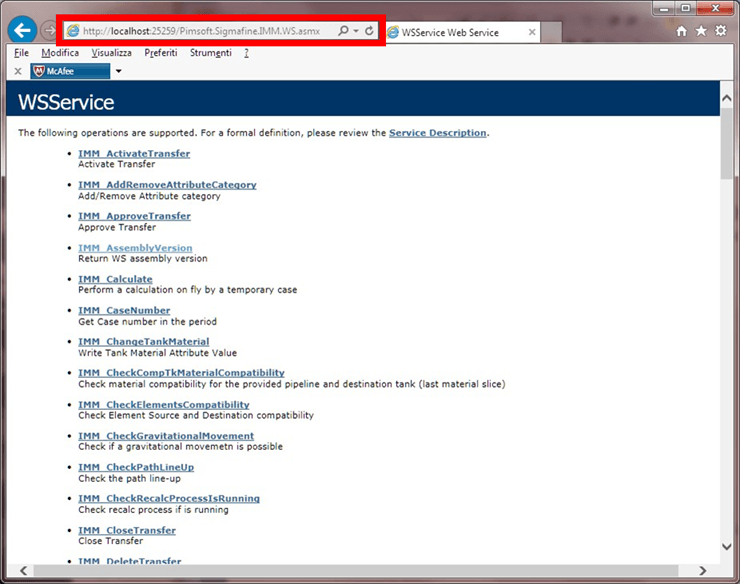
Click on the IMM_AssemblyVersion link, to open the page.
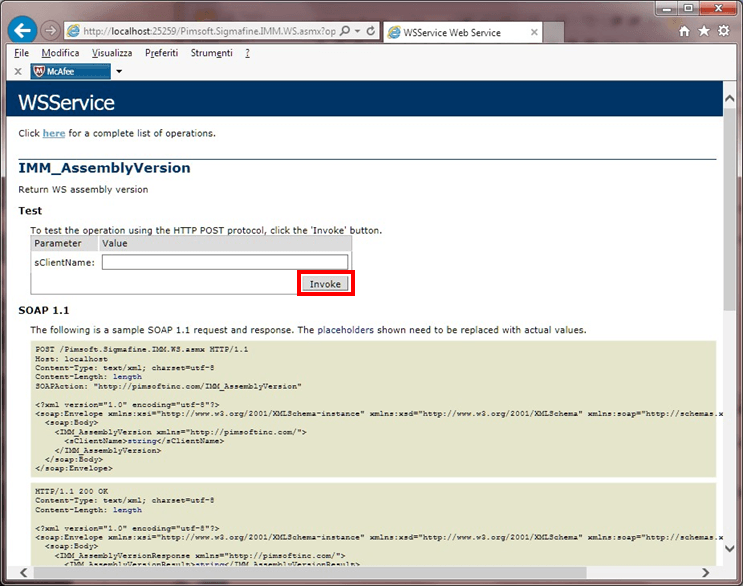
Click the Invoke button.
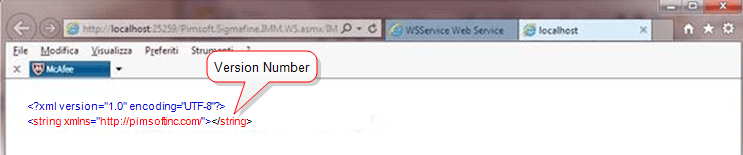
Verify that the response page states the correct version you have installed.
EXAMPLE: "Invoke" Response pageThe following example is the response page received for the IMM Servers web address we had entered in step 2.