Checking WCFServiceHost.exe.config
Before you can start the Integration Framework service, you first need to ensure that the 'WCFServiceHost.exe.config' file has the proper setting for the name of the IF Server.
To check for the proper setting:
- Using Windows Explorer, open the folder in which you installed Integration Framework.
- In the IF folder structure, locate the
WCFServiceHost.exe.configfile. - Right-click on the
WCFServiceHost.exe.configand open it in Microsoft Notepad.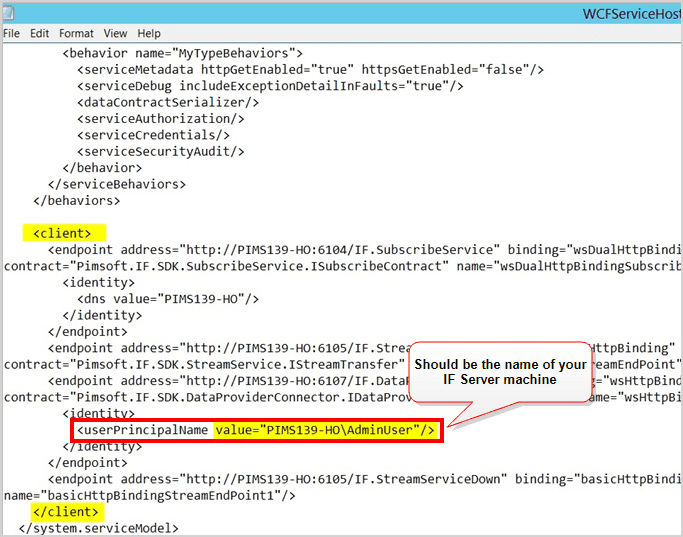
- If the name is correct, you can start the IF service.