Showing / Hiding a Modeler AF Window
The following steps provide instructions on showing or hiding any of the three Modeler AF windows.
To Show/Hide the window:
Click on the View menu.
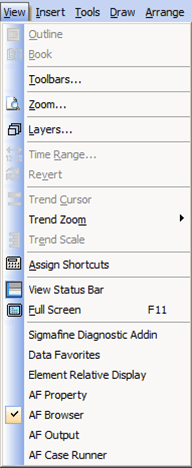
In the figure above, we have selected to show the AF Browser window.
Click on the window name to show it if it is currently hidden, or to hide it if it is currently showing.
A check indicates that the window will be shown.