Changing a Unit of Measure
It is possible to change the unit of measure (UOM) displayed for a value. You can persist the new display UOM to add it to the extended property of the element. If you do not persist it, then the UOM reverts to its original unit in subsequent displays.
To change the UOM:
Open the AF Output window.
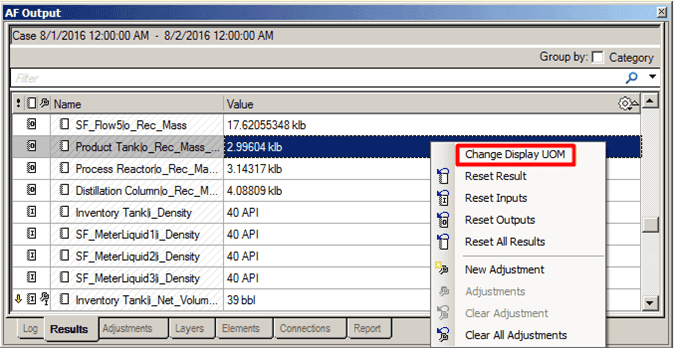
Right-click on the value and select Change Display UOM.
The Select Display UOM window opens.

Click on the Display UOMs down-arrow and select the unit of measure you want to use.
Click OK to save your selection and close the Select display UOM window.