Configure PI Data Set
To configure the PI Data Server:
Run the Integration Framework - Configurator application.
The Integration Framework - Configurator window opens.
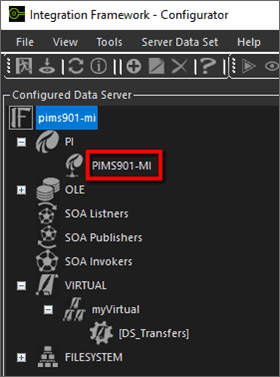
In the Configured Data Server pane, click on the PI Data Server.
In the toolbar, click the
 Add icon.
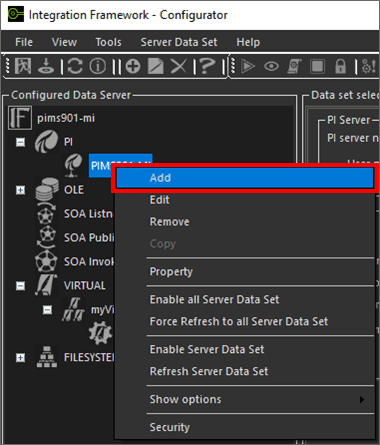
Alternatively, you can right-click on the PI Server and select the Add option as shown in the following figure.
The Configure PI Server Data Set window opens.
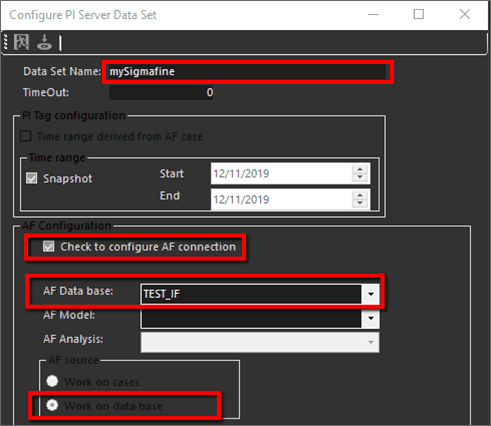
Check the Check to configure AF connection check box.
Click on the AF Data base down-arrow and select the AF database.
Under AF source, select the Work on data base option.
Click the
 Save and Exit icon.
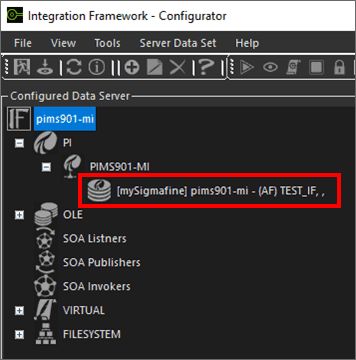
You are returned to the Integration Framework - Configurator window where the Data Set you set up now displays under the PI Server, in the Configured Data Server pane, as shown in the following figure.