Check Credentials and Connection
The Check Credentials and Connection option in the main window allows you to check IIS App Pool login credentials check the SQL Server connection and reset the SFSHub Sql User credentials and information.
When this option is selected, it displays the SFHub Connection and Credentials Checks window, as shown in the following image.
SFHub Connection and Credentials Checks window
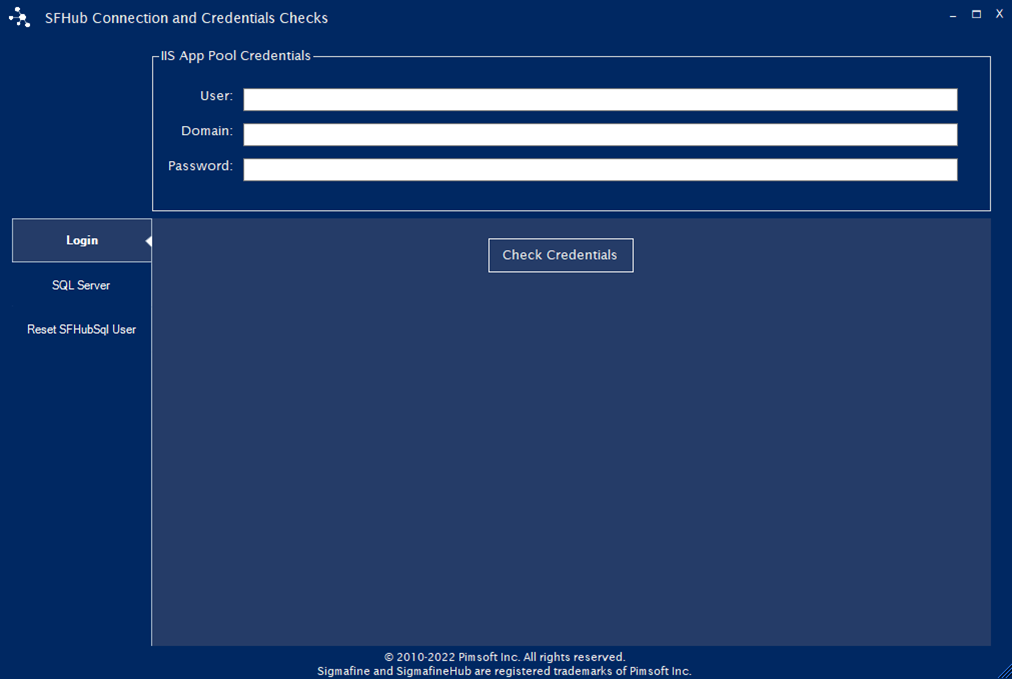
The SFHub Connection and Credentials Checks window consists of three tabs:
Login - This tab lets you check domain user login credentials.
SQL Server - This tab lets you check the SQL Server connection.
Reset SFHub Sql User - This tab lets you reset the SFHub Sql User to the original configuration.
Refer to following sections for more details: