SFHub Requirements Check
The Check Requirements option in the main window allows you to save a text file with a report of all the SFHub requirements checks. This report can be used by the Sigmafine administrators to facilitate the checks for the SFHub installation requirements process.
Requirements Check Report File
The Requirements Check Report file is an exported text file composed of multiple sections:
General Info
The General Info section contains information about the machine where the report has been generated.
Example: General Info section
Check Requirements Report - General Info

Missing Requirements
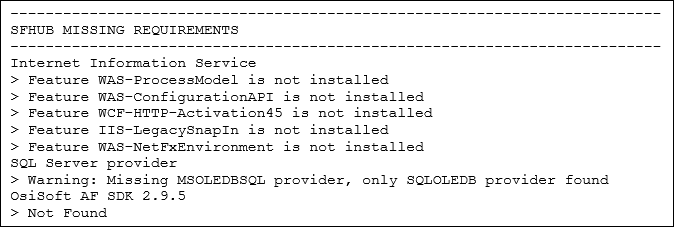
The SFHub Missing Requirements section contains information about specific SFHub software requirements that have not been met.
Example: Missing Requirements section
Check Requirements Report - SFHub Missing Requirements
Disks Info
The Disks section contains information about the hard drive disks.
Example: Disks section
Check Requirements Report - Disks

CPU Info
The CPUs section contains information about the central process units.
Example: CPUs section
Check Requirements Report - CPUs

Memory Info
The Memory section contains information about the RAM banks.
Example: Memory section
Check Requirements Report - Memory

TCP Ports
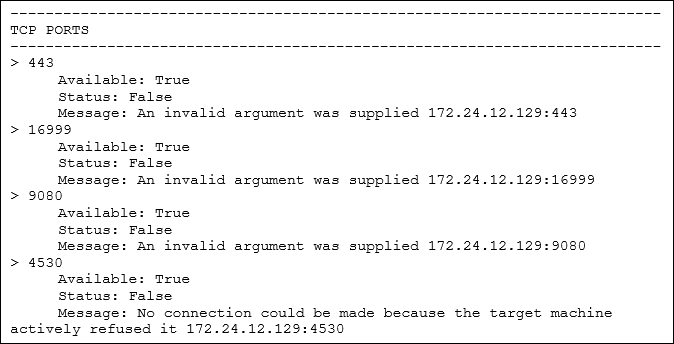
The TCP Ports section contains information about the default TCP Ports used by the SFHub services.
Example: TCP Ports section
Check Requirements Report - TCP Ports
Installed Software
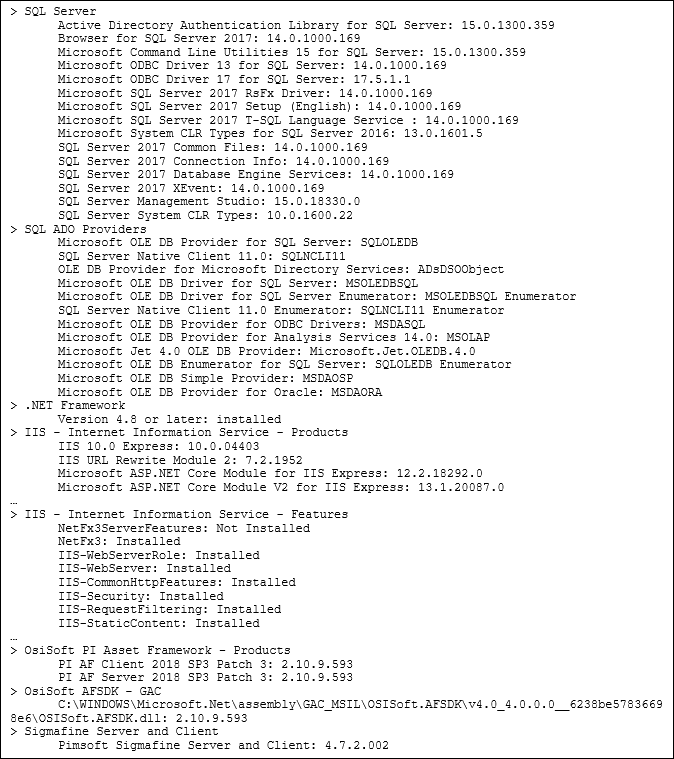
Installed software section contains information about the installed software relevant to SFHub:
SQL Server
SQL ADO Providers
.NET Framework
IIS - Internet Information Service - Products
IIS - Internet Information Service - Features
OsiSoft PI Asset Framework - Products
OsiSoft AFSDK - GAC
Sigmafine Server and Client
Example: Installed Software section
Check Requirements Report - Installed Software
Sigmafine Registry Keys
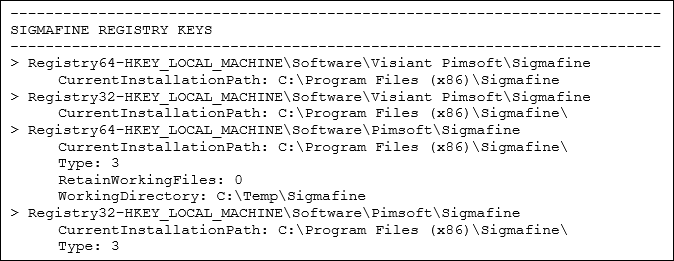
The Sigmafine Registry Keys section contains information about the Sigmafine Server and Client installation registry keys.
Example: Sigmafine Registry Keys section
Check Requirements Report - Sigmafine Registry Keys