Settings - Background & Title

Note
The Series Setting is supported across all chart types
The Background and Title sub-panel allows you to configure the chart area visualization, which consists of the chart background color and title.

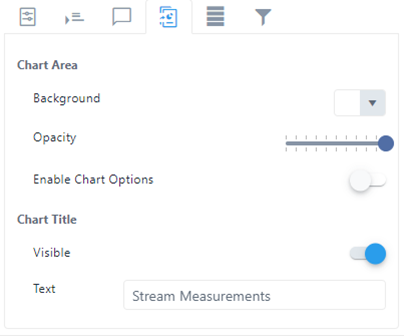
This panel is divided into two sections; Chart Area and Chart Title.
Chart Area
- Background: Allows you to choose the chart background color from a color picker panel.
- Opacity: Allows you to control the opacity of the background color. Settings are between 0 (white) and 100 (the color you have selected).
- Enable Chart Options: Allows you to toggle on or off users ability to adjust the chart options.
Chart Title
- Visible: Allows you to toggle on or off the visibility of the chart title at the top center of the chart area.
- Text: Allows you to enter the text to be shown as the chart title, if it is visible.