Create First Case
To create a first Case for the analysis to initialize qualities and genealogies:
Select the Quality Tracking Model analysis.
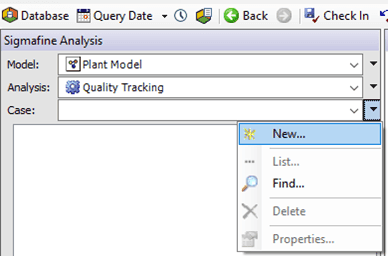
Click on the Case menu arrow and select New.
The Case Properties window opens.
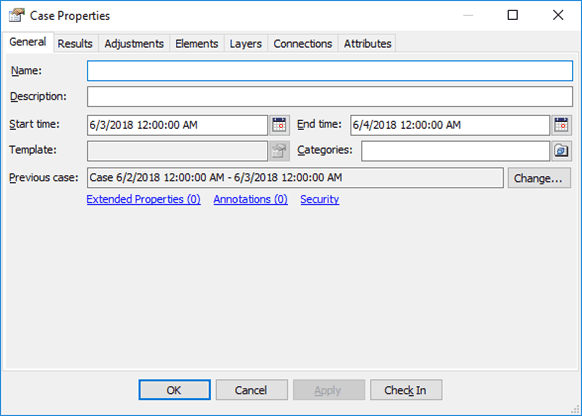
Under the General tab, change the times for the Quality Tracking Case to match a Case for the source analysis (Composition Tracking Analysis):
Click on the Start time calendar button and change the start time.
Click on the End time calendar button and change the end time.
This manual times change is necessary to start the Case series when a source analysis is selected.
Note: For the first case, no previous Case is available.
Click OK to save the changes and close the Case Properties window.
You are returned to the System Explorer window.
Click the Check In button to check-in the case.