How to Review the Quality Tracking Results
You can verify the QualityTracking results as follows:
Tanks
In the QualityTracking Attribute table, you will see all of the qualities provided by the analyzers which are linked to the tank: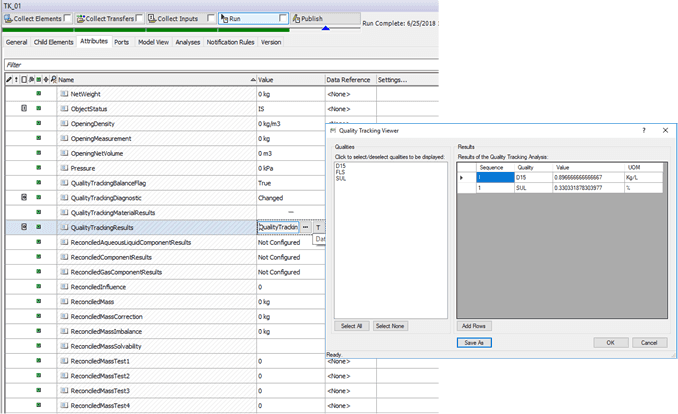
In the QualityTrackingMaterialResults Attribute table, you will see all of the qualities per material calculated or provided by the analyzers, which are linked to the tank: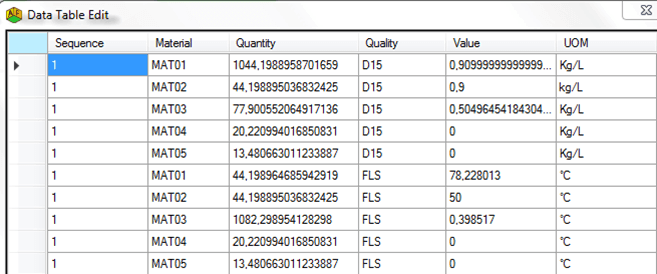
Analyzers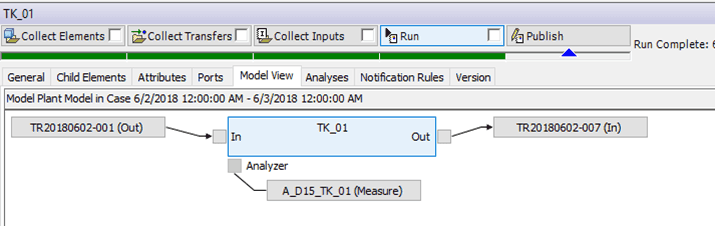
The quality value of the analyzer attached to an inventory depends on the value of the MeasurementCount attribute:
- If MeasurementCount is 0, the 'QualityToPI' (CalculatedQuality) of the analyzer must appear in the QualityTrackingResults table of the associated inventory.
- If MeasurementCount is 1 or more, the 'MeasuredQuality' of the analyzer must appear in the QualityTrackingResults table of the associated inventory.
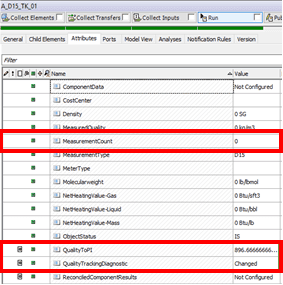
| MeasurementCount = 0 | MeasurementCount = 1 |
|---|---|
Transfers
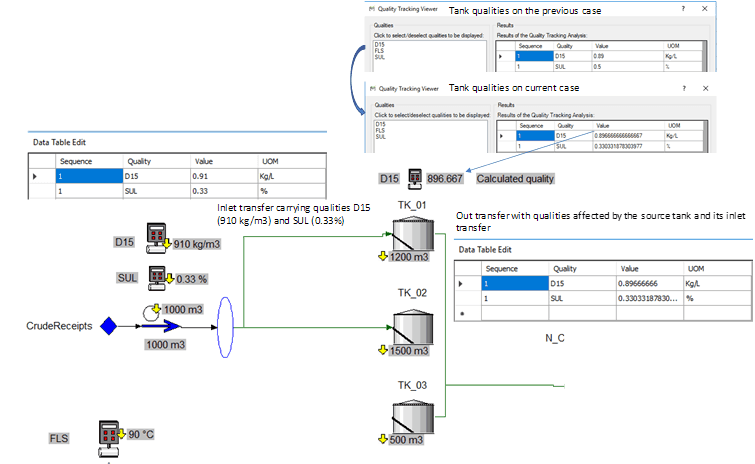
Transfer carries quality packets from a source to a destination.
If a transfer is entering a tank, then the carried qualities (e.g. from the source tank of the transfer) affect the qualities of the destination tank and of the out transfer as well. How this happens is according to the genealogy results table of the tank itself and of the out transfer.